




Here's how it works

01. Edit your chro forms online
Type text, add images, blackout confidential details, add comments, highlights and more.

02. Sign it in a few clicks
Draw your signature, type it, upload its image, or use your mobile device as a signature pad.

03. Share your form with others
Send funeral home first call sheet via email, link, or fax. You can also download it, export it or print it out.
How to use or fill out co hro with our platform

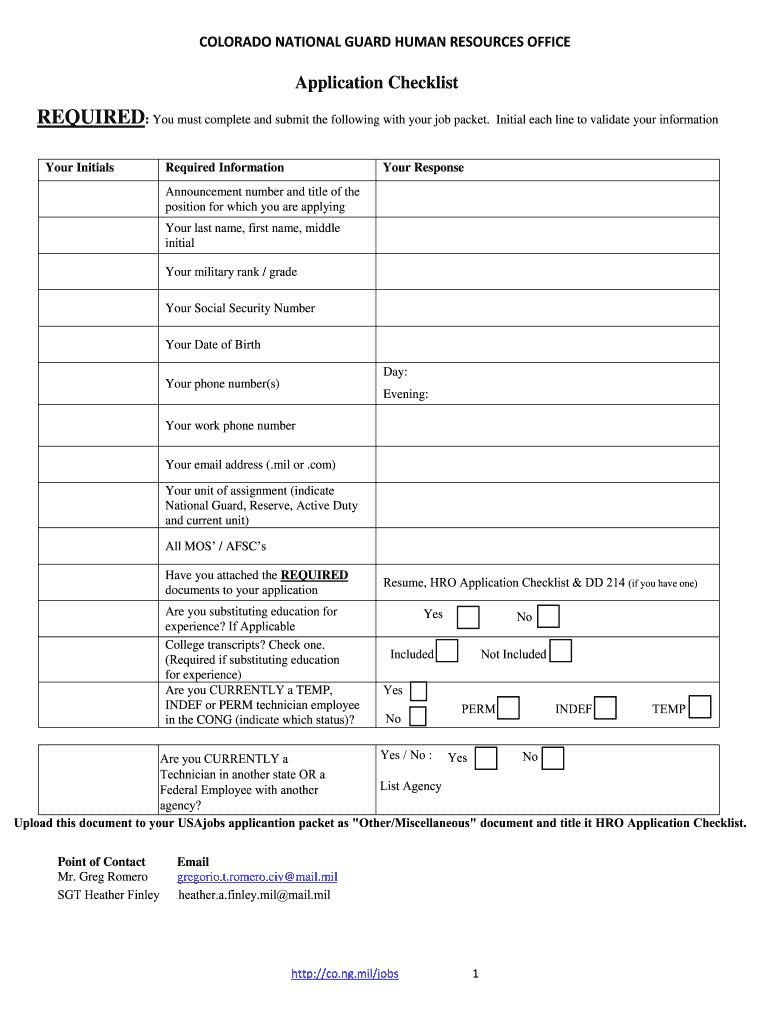
- Click ‘Get Form’ to open the co hro application checklist in the editor.
- Begin by initialing each line under 'Required Information' to validate your details. This includes your announcement number, name, military rank, and Social Security Number.
- Fill in your date of birth, phone numbers (both evening and work), and email address. Ensure that you use a valid .mil or .com email.
- Indicate your unit of assignment and list all MOS’ / AFSC’s. If applicable, confirm whether you are substituting education for experience and check the box regarding college transcripts.
- Answer questions about your current employment status within the CONG and attach any required documents such as your resume and DD 214 if available.
- Finally, upload the completed checklist to your USAjobs application packet as an 'Other/Miscellaneous' document titled 'HRO Application Checklist'.
Start using our platform today to streamline your application process for free!
Fill out co hro online
It's free
It's free
Security and compliance
At DocHub, your data security is our priority. We follow HIPAA, SOC2, GDPR, and other standards, so you can work on your documents with confidence.
Learn more


