




01. Edit your da form 4187 online
Type text, add images, blackout confidential details, add comments, highlights and more.

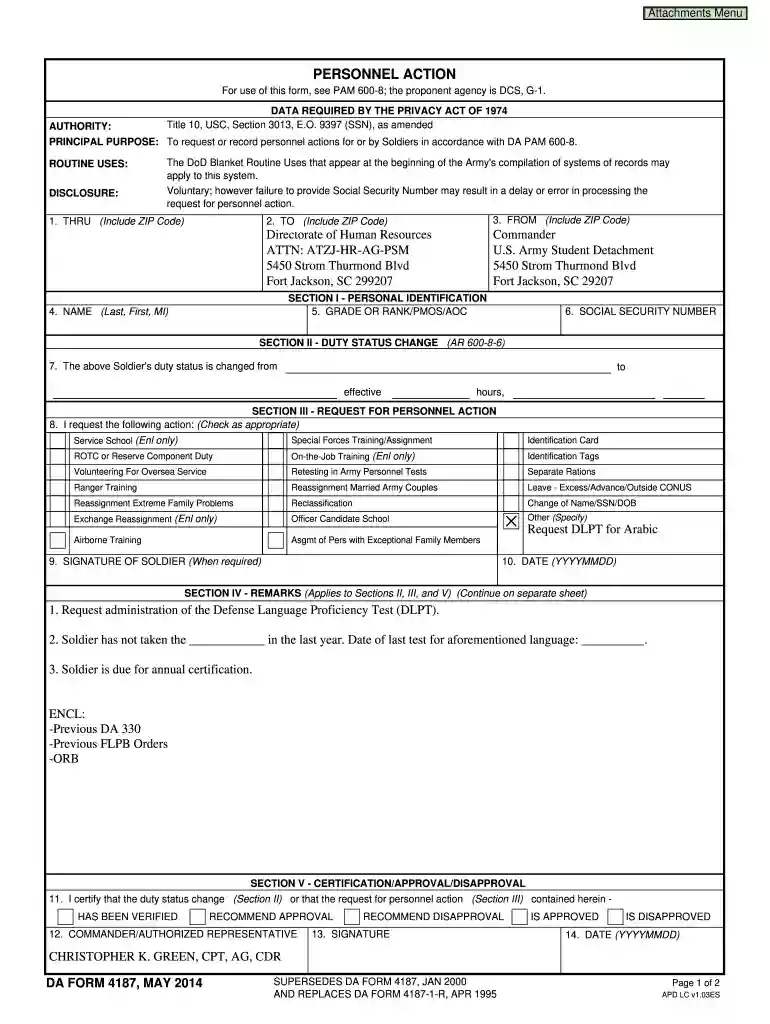
Type text, add images, blackout confidential details, add comments, highlights and more.

Draw your signature, type it, upload its image, or use your mobile device as a signature pad.

Send 4187 via email, link, or fax. You can also download it, export it or print it out.

Start using our platform today to fill out your DA 4187 easily and efficiently!
At DocHub, your data security is our priority. We follow HIPAA, SOC2, GDPR, and other standards, so you can work on your documents with confidence.
SUPERSEDES DA FORM 4187, JAN 2000. AND REPLACES DA FORM 4187-1-R, APR 1995. DA FORM 4187, MAY 2014. HAS BEEN VERIFIED. AUTHORITY: PRINCIPAL PURPOSERead more
Explore all unique seed patterns for the Glock-18 Pink DDPAT CS2 skin. Browse pattern positions, screenshots, color data, and prices on pattern.wiki.
PRINCIPAL PURPOSE: Used by soldier in accordance with DA PAM 600-8-21 DA FORM 4187, JAN 2000. PREVIOUS EDITIONS ARE OBSOLETE. COPY 1 to effective hours,Read more


