




Here's how it works

01. Edit your uoaa travel card online
Type text, add images, blackout confidential details, add comments, highlights and more.

02. Sign it in a few clicks
Draw your signature, type it, upload its image, or use your mobile device as a signature pad.

03. Share your form with others
Send uoaa travel communication card via email, link, or fax. You can also download it, export it or print it out.
How to use or fill out ostomy travel card with our platform

- Click ‘Get Form’ to open the ostomy travel card in the editor.
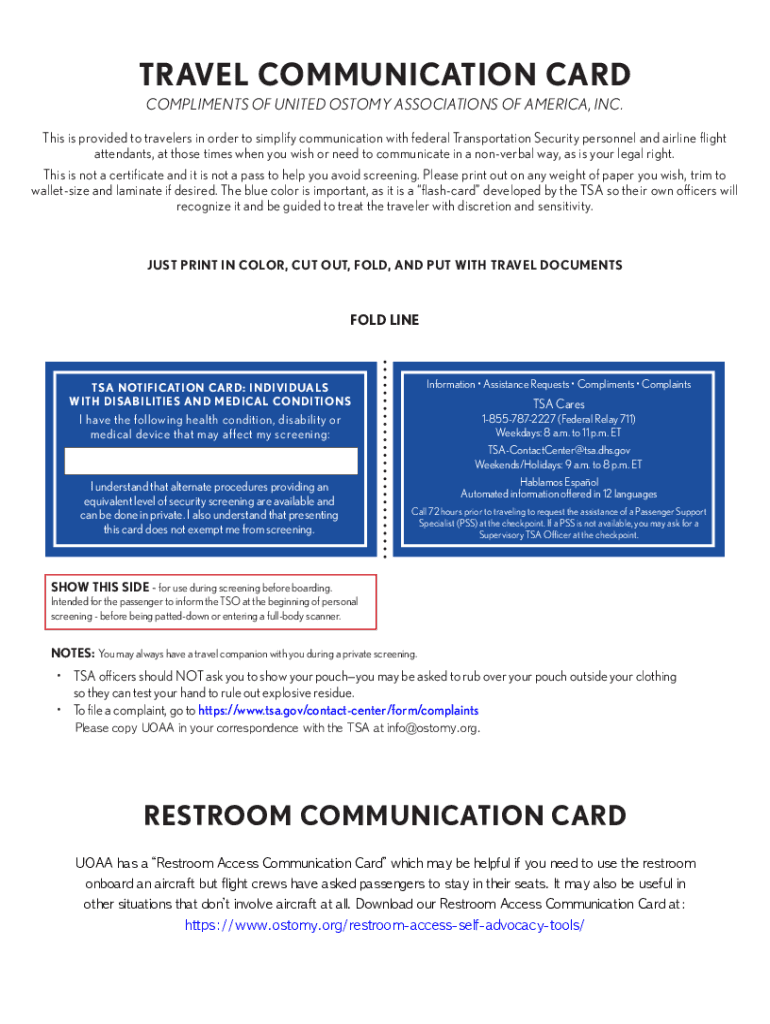
- Review the document layout. The card has designated sections for communication during security screening and in-flight situations.
- Fill out your personal information where required, ensuring clarity for TSA personnel and airline staff.
- Utilize the blue color of the card as a visual cue for TSA officers. This is crucial for effective communication.
- Print the completed form on any paper weight you prefer. For durability, consider laminating it after cutting it to wallet size.
- Fold the card appropriately, ensuring that all text is oriented correctly for easy access during travel.
Start using our platform today to effortlessly fill out your ostomy travel card and ensure a smooth travel experience!
Fill out ostomy travel card online
It's free
It's free
Security and compliance
At DocHub, your data security is our priority. We follow HIPAA, SOC2, GDPR, and other standards, so you can work on your documents with confidence.
Learn more


