
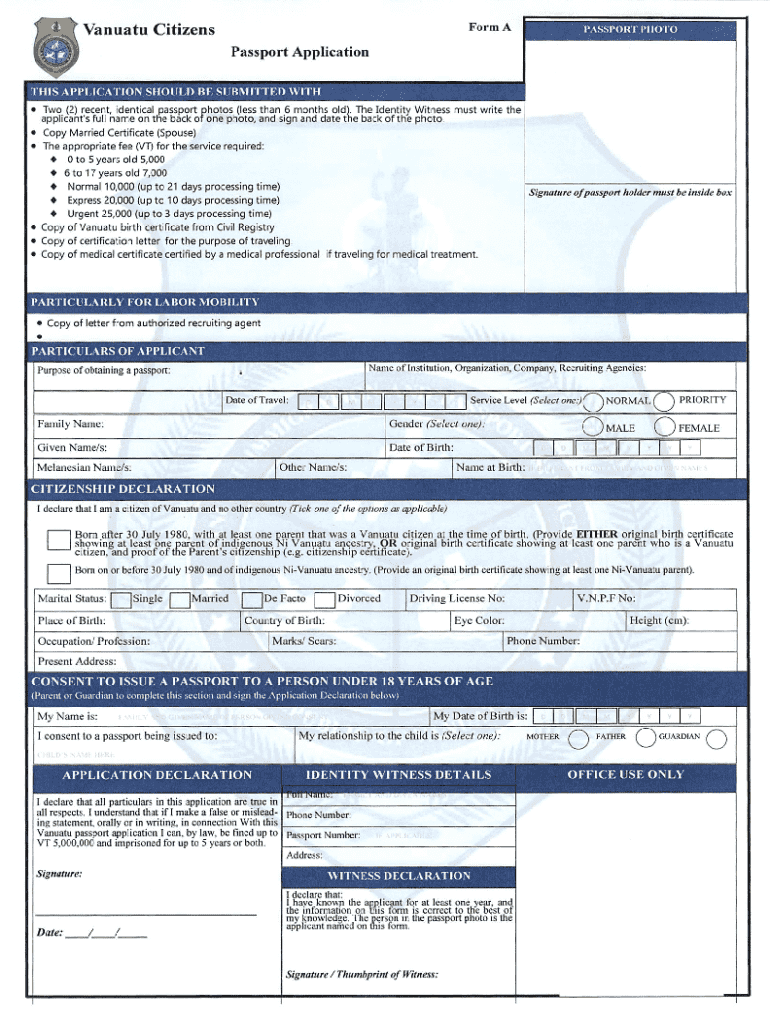







Introduction to Using Forms Online
Creating and managing forms online has become a fundamental part of many business and personal processes. From tax submissions to application forms, the transition from paper-based to digital forms offers multiple advantages. Online forms streamline workflows, increase accessibility, and reduce the need for physical storage. Understanding the nuances of completing forms online can enhance efficiency and accuracy across various applications.
How to Use Forms Online
Utilizing forms online involves several steps designed to facilitate data input and processing. The process typically begins with selecting the appropriate form based on your requirements. Most online platforms provide intuitive interfaces where users can input required information directly into designated fields. Once completed, forms can usually be submitted electronically, drastically reducing the turnaround time compared to traditional methods.
Steps to Complete an Online Form:
- Locate the required form on the website or platform.
- Review any accompanying instructions to ensure all necessary information is prepared.
- Enter your information into each field, following prompts for specific formats (e.g., dates in MM/DD/YYYY).
- Attach any supplementary documents if needed.
- Double-check all entries for accuracy before submission.
- Submit the form through the designated online submission button.
Benefits of Online Form Submission
The primary advantage of using forms online is the substantial reduction in time and resources needed to complete and submit them. Additionally, online forms enhance the accuracy of data entry through integrated validation checks that minimize errors. They also support access from any location, allowing users or businesses to manage operations remotely. Furthermore, digital forms offer better tracking capabilities, with automated systems often sending confirmation emails upon successful submission.
Key Elements of Online Forms
Several elements define the utility and effectiveness of online forms:
- User Identification: Fields requiring user details such as name, email, and contact information.
- Input Validations: Guidance provided to ensure correct data entry, reducing the possibility of errors.
- Interactive Features: Drop-down menus, checkboxes, and radio buttons that provide a user-friendly experience.
- Security Protocols: Integration of encryption and secure gateways to protect sensitive information during transmission.
Legal Use of Online Forms
Online forms are widely used for legally binding processes, including contract agreements, applications, and tax filings. It is crucial to ensure that any form submitted online adheres to legal standards. Most platforms, like DocHub, comply with regulations such as the ESIGN Act, which grants electronic signatures the same validity as handwritten ones. Proper legal compliance guarantees that all parties involved understand their rights and obligations, protecting both the user and the organization.
Required Documents for Online Forms
Supporting documents often play a crucial role in the form submission process. Depending on the form type, required documents may include identification proofs, financial statements, or previous tax returns. These documents are typically uploaded alongside the form. It's important to ensure all accompanying documentation meets the required specifications, such as acceptable formats (PDF, DOC, JPG) and size limitations.
Software Compatibility for Form Completion
When dealing with online forms, compatibility with various software and service providers can enhance the process. Platforms like DocHub offer seamless integration with cloud storage services such as Google Drive, Dropbox, and OneDrive. This compatibility allows easy access to stored documents, enabling quick attachment or importing. Additionally, using compatible software ensures that forms retain their formatting and functional integrity across different systems.
Digital vs. Paper Version
The shift from paper to digital forms offers numerous advantages, although each format has its specific use cases. Digital forms are quicker to process, providing real-time edits and updates that are not feasible with paper. They are environmentally friendly, eliminating the need for printed materials. Conversely, paper forms might still be preferred in areas with limited access to digital technology or for processes that require physical signatures. Balancing the pros and cons of each can help determine the best format for your needs.
Who Typically Utilizes Online Forms
Online forms are employed by a wide range of users, from individuals to large corporations. Common applications include:
- Government Agencies: For tax filings and benefits applications.
- Educational Institutions: For enrollment forms and financial aid applications.
- Corporations: For job applications, client feedback, and documentation purposes.
- Individual Users: For personal tasks such as event planning, registrations, and membership applications.
Understanding the broad applicability of online forms can significantly enhance their utility in various domains, promoting informed and efficient usage.




