




Here's how it works



How to use or fill out pasco county financial affidavit short form with our platform

- Click ‘Get Form’ to open the pasco county financial affidavit short form in the editor.
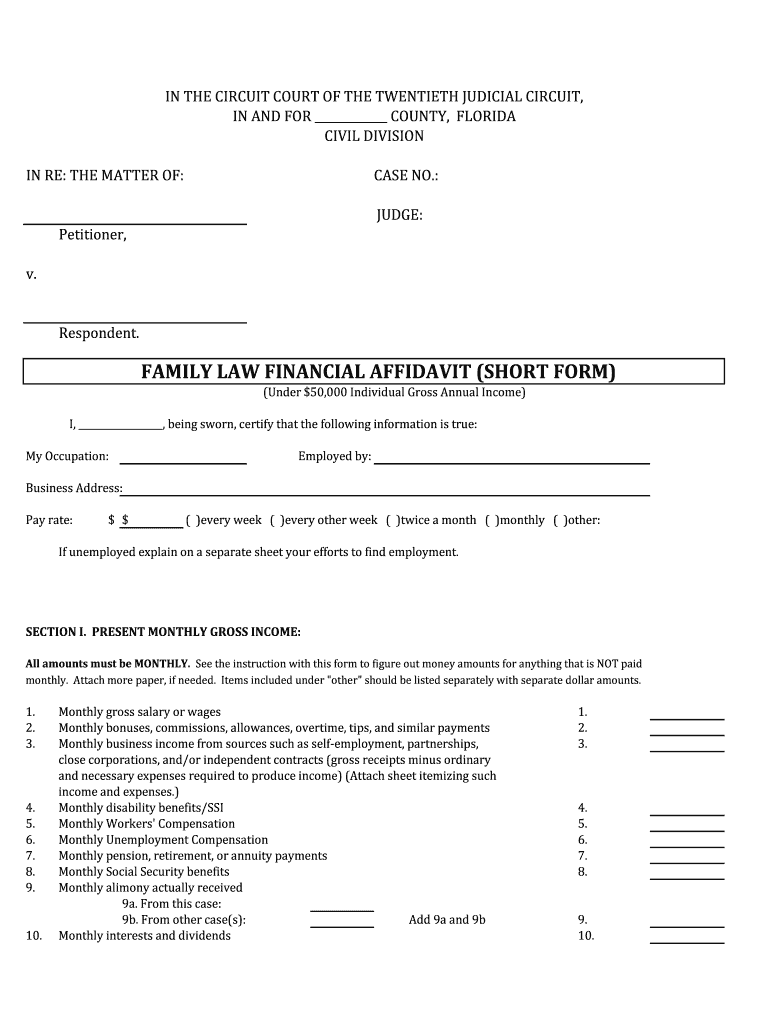
- Begin by entering your personal information at the top of the form, including your name, occupation, and employer details.
- In Section I, list your present monthly gross income. Fill in each applicable field with accurate amounts for salary, bonuses, and other income sources.
- Proceed to Section II to detail your average monthly expenses. Categorize expenses into household, child-related costs, insurance, and payments to creditors.
- In Section III, outline your assets and liabilities. Clearly describe each item and its value in the appropriate columns.
- Finally, review all entries for accuracy before signing the document electronically within our platform.
Start using our platform today to fill out your pasco county financial affidavit short form easily and for free!
It's free
Got questions?
How can I send my pasco county financial affidavit short form for eSignature?
Upload your pasco county financial affidavit short form to DocHub (once you’ve set up an account for this). If you need to complete fields in it, use proper tools from the top pane. For example, add Signature Fields, assign each to a particular person, and click on Sign → Request signatures from others. Personalize your message for your recipients and click Send Request. You can also send your form by fax or as a Signing link instead of using email (you’ll find these options by navigating to the Menu → Send)
How do you edit pasco county financial affidavit short form on Android?
Document editing with DocHub is equally convenient on desktop and mobile devices. You only need an internet browser to revise your pasco county financial affidavit short form on Android. Open our site and sign in to access the tools you require. Add your document and introduce your intended changes. After that, you can keep your form in your document storage or send it out right away.
Security and compliance
At DocHub, your data security is our priority. We follow HIPAA, SOC2, GDPR, and other standards, so you can work on your documents with confidence.
Learn more


