01. Edit your accident witness statement example online
Type text, add images, blackout confidential details, add comments, highlights and more.
02. Sign it in a few clicks
Draw your signature, type it, upload its image, or use your mobile device as a signature pad.
03. Share your form with others
Send car accident witness statement template via email, link, or fax. You can also download it, export it or print it out.
How to use or fill out witness statement form with our platform
Ease of Setup
DocHub User Ratings on G2
Ease of Use
DocHub User Ratings on G2
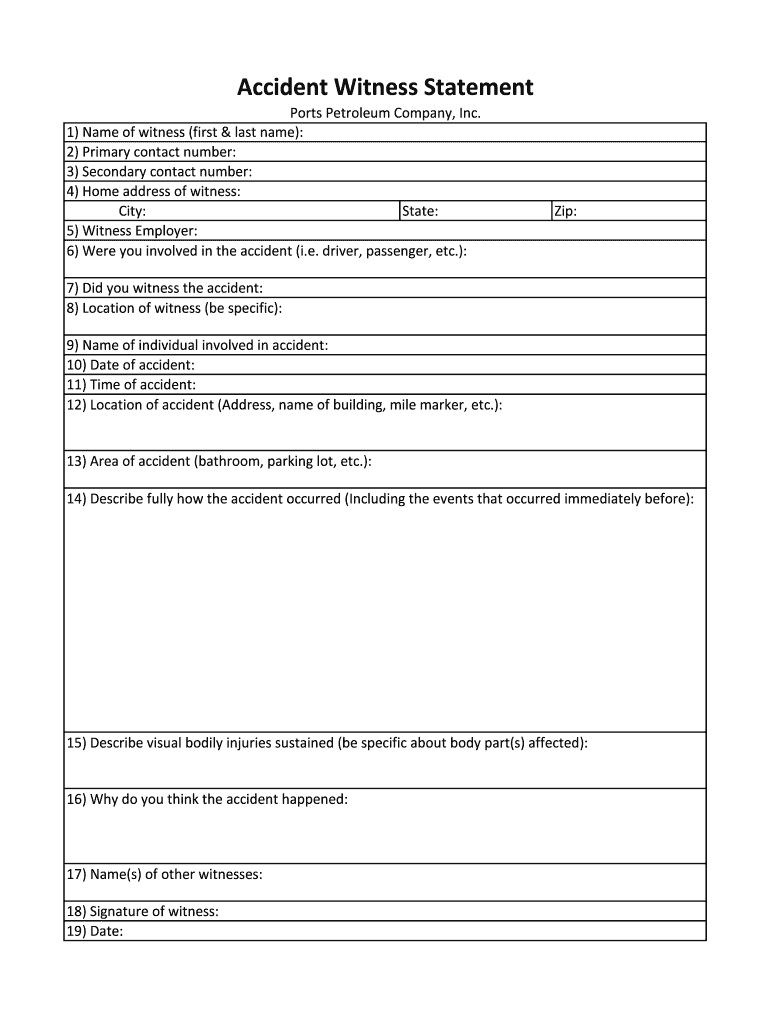
Click ‘Get Form’ to open the witness statement form in the editor.
Begin by entering your name in the first field, followed by your primary and secondary contact numbers. This ensures that you can be reached for any follow-up questions.
Fill in your home address, including city, state, and zip code. Accurate information is crucial for verification purposes.
Indicate your employer and specify if you were involved in the accident as a driver or passenger.
Answer whether you witnessed the accident and provide a detailed location of where you were at that time.
Complete the date and time of the accident, along with its specific location. Be as precise as possible to aid investigations.
In the description section, detail how the accident occurred, including events leading up to it. Also, describe any visible injuries sustained.
Conclude by stating your opinion on why the accident happened and listing any other witnesses before signing and dating the form.
Start filling out your witness statement form online for free today!
Witness statement form templateWitness statement form pdfWitness statement form template wordFree printable witness Statement FormWitness statement exampleFree printable witness statement form pdfWitness statement template Word PDFBlank witness statement form pdf
Security and compliance
At DocHub, your data security is our priority. We follow HIPAA, SOC2, GDPR, and other standards, so you can work on your documents with confidence.
To collect witness testimony, go to the incident report and click on the Request Input button. The Request Input form will appear with drop-down menus toRead more
Cookie consent notice
This site uses cookies to enhance site navigation and personalize your experience.
By using this site you agree to our use of cookies as described in our Privacy Notice.
You can modify your selections by visiting our Cookie and Advertising Notice.