




01. Edit your adc inmate banking online
Type text, add images, blackout confidential details, add comments, highlights and more.

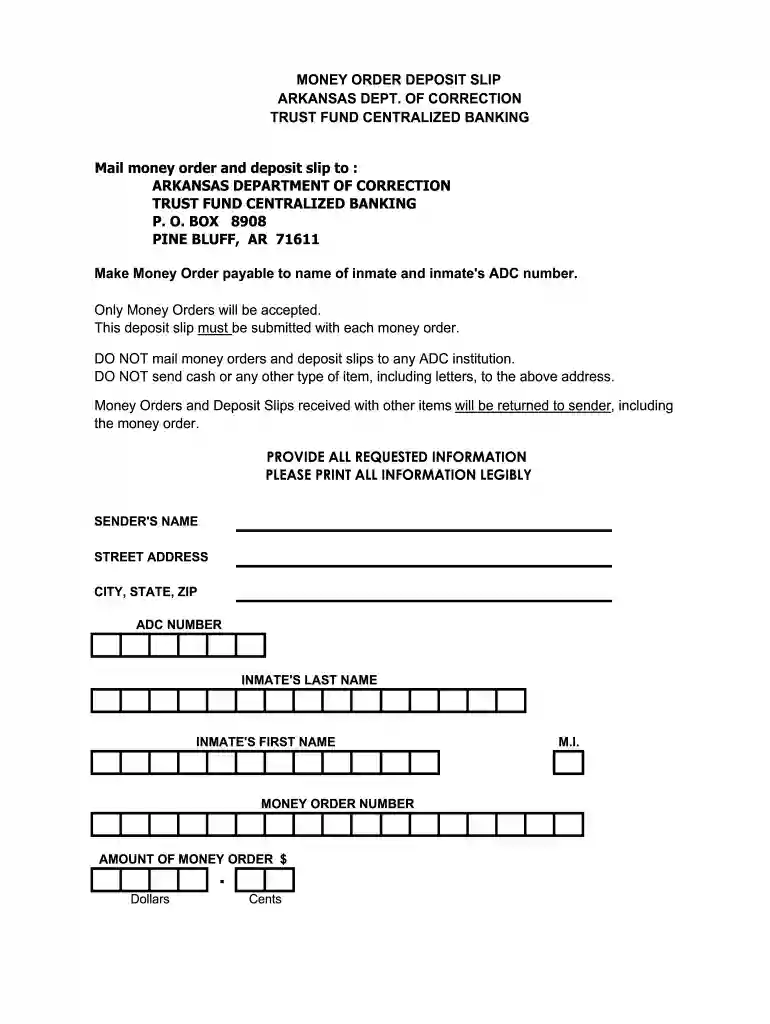
Type text, add images, blackout confidential details, add comments, highlights and more.

Draw your signature, type it, upload its image, or use your mobile device as a signature pad.

Send adc online services inmate deposit via email, link, or fax. You can also download it, export it or print it out.

Start using our platform today to streamline your adc inmate banking process for free!
At DocHub, your data security is our priority. We follow HIPAA, SOC2, GDPR, and other standards, so you can work on your documents with confidence.
Money orders should be made payable to the inmates name and. ADC number. A Money Order Deposit Slip must be completed and sent with each money order.Read more
The Arkansas Department of Corrections works with two deposit service providers who give you the ability to put money into an inmates Trust Account or Pre-PayRead more


