Definition and Importance of Validation Messages
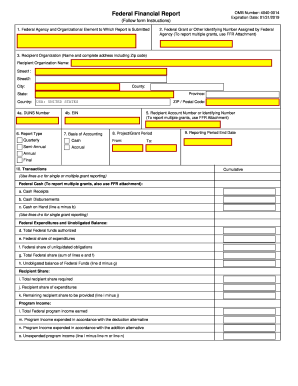
Validation messages are critical feedback mechanisms used in digital forms and applications to ensure that user input is correct and complete. They guide users by indicating errors, highlighting missing information, and suggesting precise corrections. By providing immediate feedback, validation messages help maintain data accuracy and completeness, reducing the need for re-submissions and facilitating smoother workflow processes.
- Purpose: Validation messages are designed to prompt users to correct mistakes before they can proceed, ensuring the final submission aligns with required standards. This mechanism not only improves user experience but also minimizes backend data processing errors.
- Types: There are various forms of validation messages, including error messages, warning alerts, and informational prompts. Each type serves a specific purpose, guiding users towards correctly completing the form.
How to Use Validation Messages Effectively
Understanding how to effectively leverage validation messages is crucial for both developers and end-users.
- Form Design: Integrate validation messages early in the form design process. Display messages close to the relevant fields for clear association.
- User Feedback: Validation messages should be precise and constructive. Use simple language that briefly explains the error and suggests corrective action.
- Accessibility: Ensure messages are accessible to all users, including those using assistive technologies. This may involve considering color contrast, screen reader compatibility, and clear text alternatives.
Practical Tips
- Align messages in real-time as users fill out fields.
- Use consistent terminology throughout forms to avoid confusion.
- Design messages to be dismissible or auto-correcting where applicable.
Steps to Complete the Form with Validation Messages
Following structured steps ensures validation messages effectively guide the form_completion process.
-
Begin with Basic Details: Enter fundamental information such as name and contact details. Any formatting errors (e.g., incorrect email format) will trigger validation messages.
-
Progress to Specific Sections: Complete sections designed for detailed information. Validation messages will appear if data entries are missing or involve incorrect formats.
-
Review and Audit: Utilize validation messages in the final review phase to double-check entries. Correction instructions should be clear and actionable.
-
Submit Once Corrections are Made: After addressing all validation messages, finalize the form submission.
Key Elements Associated with Validation Messages
Understanding the core elements that govern validation messages is key to their effective implementation.
- Error Codes: Specific error codes or messages point to particular issues, aiding in rapid identification and correction.
- Message Placement: Messages should be visually consistent and placed contextually near relevant form fields for clarity.
- User Instruction: Effective validation messages often include examples or additional instructions to help users correct their entries without confusion.
Examples of Using Validation Messages in Practice
Practical examples illustrate how validation messages function across different scenarios.
- E-commerce Checkout: When users enter shipping details, validation messages notify them of any format errors or incomplete fields, ensuring all necessary information is accurately captured before order processing.
- Online Applications: Educational institutions use validation messages during student enrollments to ensure form fields are completed with the required data, such as valid course codes and student IDs.
Legal Use and Compliance with Validation Messages
Ensuring the legal use of validation messages aligns with privacy and digital accessibility standards.
- Data Privacy: Comply with legal frameworks such as GDPR or CCPA by ensuring that validation messages do not expose sensitive information unintentionally.
- Accessibility Requirements: Adhere to regulations such as the Americans with Disabilities Act (ADA), ensuring that validation messages are accessible to users with disabilities.
Software Compatibility and Implementation
Validation messages should integrate seamlessly with various software solutions.
- Compatibility: Ensure that web-based form tools or applications like TurboTax or QuickBooks are compatible with the validation message framework.
- Integration: Incorporate plug-ins or APIs that enable seamless validation message functions across multiple platforms.
Implementation Steps
- Collaborate with development teams to deploy validation functionalities during early application design phases.
- Use software development kits (SDKs) for easy integration with existing platforms.
Business Benefits Provided by Validation Messages
Businesses that integrate effective validation messages into their digital processes experience numerous advantages.
- Improved Data Quality: Enhanced accuracy and reliability of data inputs.
- User Retention: Positive user experiences through effective guidance and assistance.
- Operational Efficiency: Streamlined data collection reduces manual errors and processing times.
Through precise and effective validation messages, businesses can achieve operational efficiencies and enhance user experience, ultimately benefiting from improved data integrity and customer satisfaction.