




Here's how it works



How to use or fill out printable tinetti test with our platform

- Click ‘Get Form’ to open the printable Tinetti test in the editor.
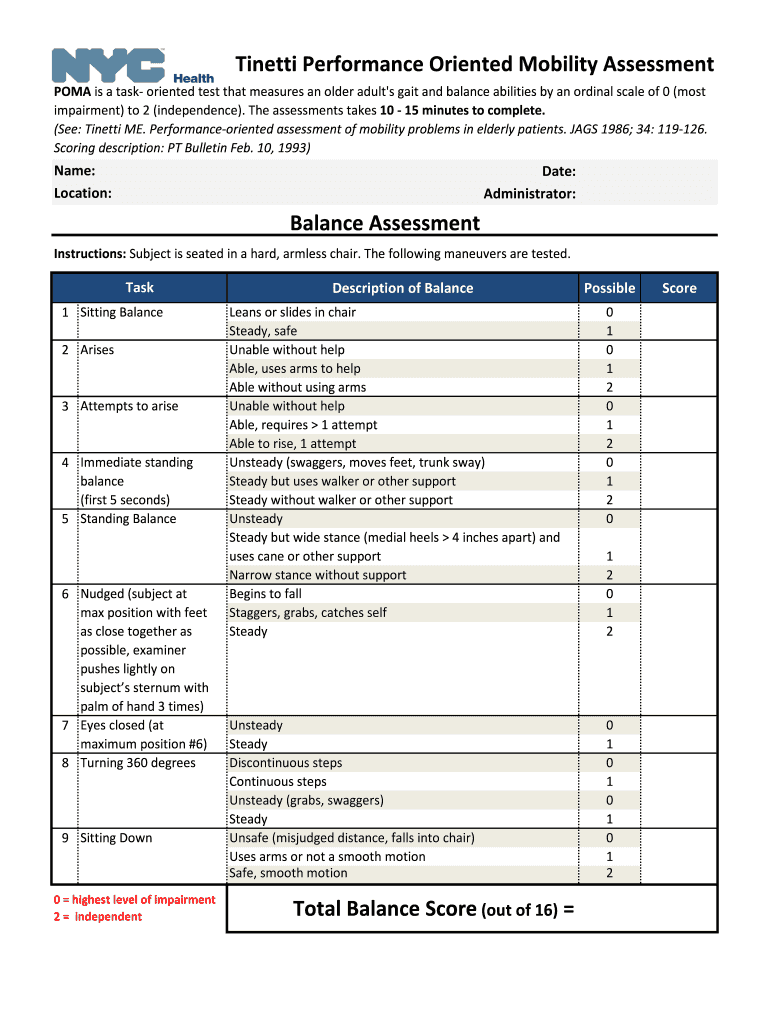
- Begin by entering the patient's name, location, date, and administrator's name at the top of the form. This information is crucial for record-keeping.
- Proceed to the Balance Assessment section. For each task listed, observe the subject's performance and select the appropriate score based on their ability. Use the scoring descriptions provided to guide your assessment.
- Next, move to the Gait Assessment section. Similar to balance tasks, evaluate each gait-related task and assign scores according to observed performance. Ensure you note any deviations or aids used during walking.
- After completing both assessments, calculate the total balance and gait scores. Use these totals to determine fall risk levels as indicated at the bottom of the form.
Start using our platform today for free to streamline your Tinetti test assessments!
It's free
Got questions?
Can I sign my tinetti balance test on a mobile?
Yes, you’ll find numerous applications for this on the web. Nonetheless, if you need to eSign your tinetti balance test without installing extra software, DocHub is the optimum choice you can make. This powerful editor works on mobile devices just as on desktops. Open our editor in any internet browser, register or log in to your account, and start processing your forms.
Can I edit tinetti poma on my phone?
As a comprehensive document modifying service, DocHub is accessible on mobile phones. Open DocHub in your choice of mobile internet browser and employ our intelligent mobile-friendly toolset to complete your tinetti poma.
Is the Tinetti a good test?
Is the Tinetti a good test?
How do you do the Tinetti test?
Security and compliance
At DocHub, your data security is our priority. We follow HIPAA, SOC2, GDPR, and other standards, so you can work on your documents with confidence.
Learn more


