




Here's how it works

01. Edit your form online
Type text, add images, blackout confidential details, add comments, highlights and more.

02. Sign it in a few clicks
Draw your signature, type it, upload its image, or use your mobile device as a signature pad.

03. Share your form with others
Send it via email, link, or fax. You can also download it, export it or print it out.
How to use or fill out Rodney Natural Heritage Fund Application Form - Auckland Council - aucklandcouncil govt with our platform

- Click ‘Get Form’ to open it in the editor.
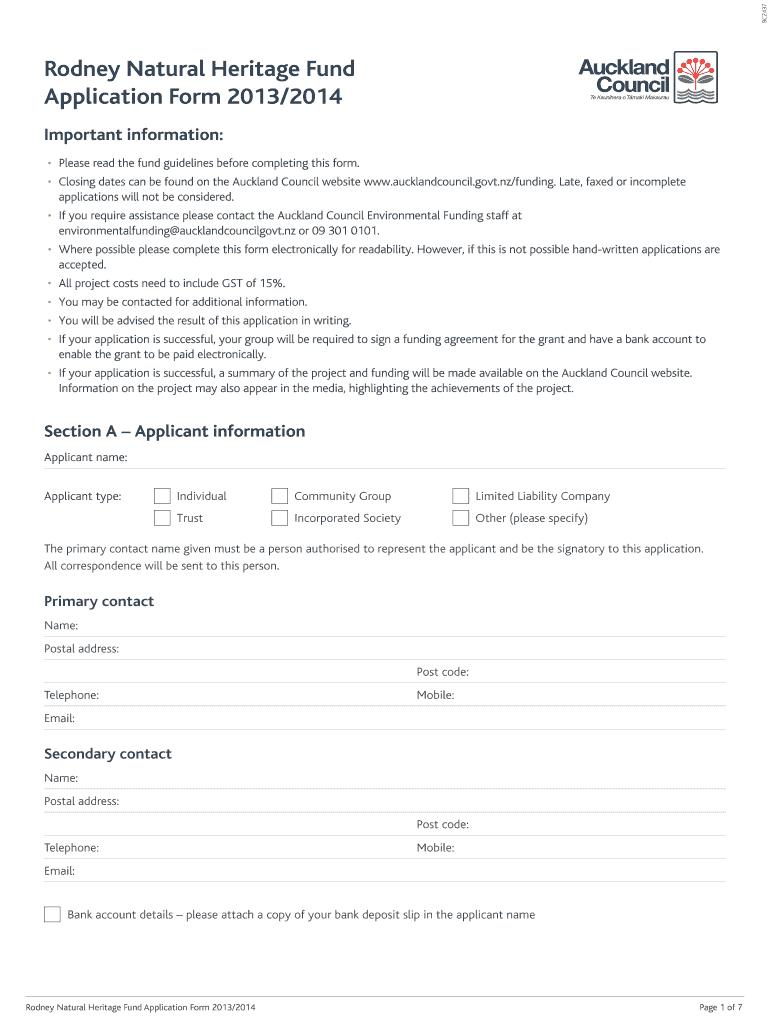
- Begin with Section A, where you will provide your applicant information. Fill in your name, type of applicant (individual, community group, etc.), and primary contact details including postal address and email.
- Move to Section B for project information. Enter the project address, legal description, and specify if the project involves public or private land. Clearly describe your project within the word limits provided.
- In Section C, outline your project budget. List all costs associated with your project including GST and ensure you provide quotes for substantiation.
- Complete Section D by confirming that all details are accurate. Sign electronically using our platform's signature feature.
- Finally, review Section E's checklist to ensure all required attachments are included before submitting your application via email or post.
Start filling out your application today using our platform for a seamless experience!
Fill out Rodney Natural Heritage Fund Application Form - Auckland Council - aucklandcouncil govt online
It's free
It's free
Security and compliance
At DocHub, your data security is our priority. We follow HIPAA, SOC2, GDPR, and other standards, so you can work on your documents with confidence.
Learn more


