




Here's how it works



How to use or fill out DC Superior Court forms with our platform

- Click ‘Get Form’ to open the Summons in the editor.
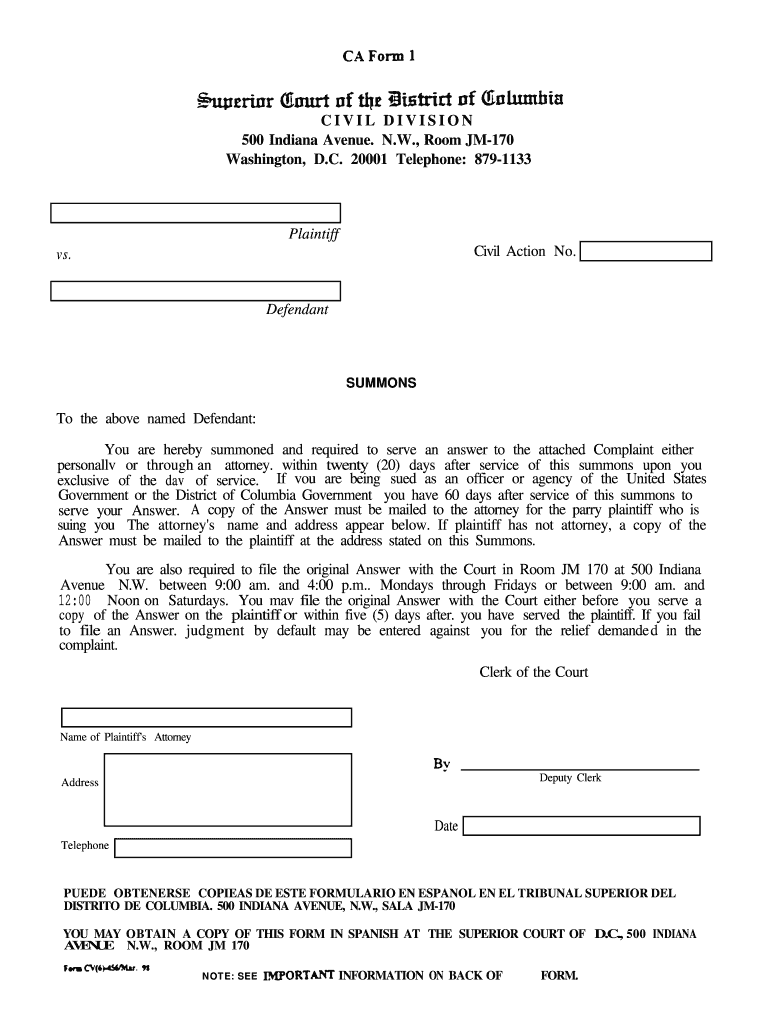
- Begin by entering the Plaintiff's name and Civil Action Number at the top of the form. Ensure accuracy as this information is crucial for identification.
- In the section labeled 'To the above named Defendant', clearly state the Defendant's name. This identifies who is being summoned.
- Review the instructions regarding serving an answer. Note that you have 20 days (or 60 days if applicable) to respond, and ensure you understand where to send your answer.
- Fill in the attorney's name and address if applicable, or provide your own address if you are representing yourself.
- Finally, sign and date the form at the bottom before submitting it to Room JM-170 at 500 Indiana Avenue N.W., ensuring you adhere to filing hours.
Start using our platform today for free to streamline your document editing and completion process!
It's free
Got questions?
How can I eSign my dc paperwork in Word?
Microsoft Word doesn’t have signing tools to create legitimate eSignatures and enforceable paperwork. Fortunately, DocHub is an online eSignature-compliant editor that works with different document formats, including .doc files. Log in to your account and add the Word edition of your dc paperwork from your device and cloud, or URL - our editor will automatically transform it into an editable PDF. Make all required modifications in your form and click Sign to create your own legally-binding electronic signature. You will find four signing options from which to choose.
How do you edit dc superior court forms in Chrome?
If you use Chrome, there are two straightforward ways to edit your dc superior court forms online. First, visit the DocHub site, add your file, and edit it utilizing our toolbar. You may also set up our Chrome extension and edit any document by dragging and dropping it in your browser tab.
Is Washington DC a no fault divorce state?
How do you avoid probate in DC?
How do I look up court cases in DC?
Security and compliance
At DocHub, your data security is our priority. We follow HIPAA, SOC2, GDPR, and other standards, so you can work on your documents with confidence.
Learn more


