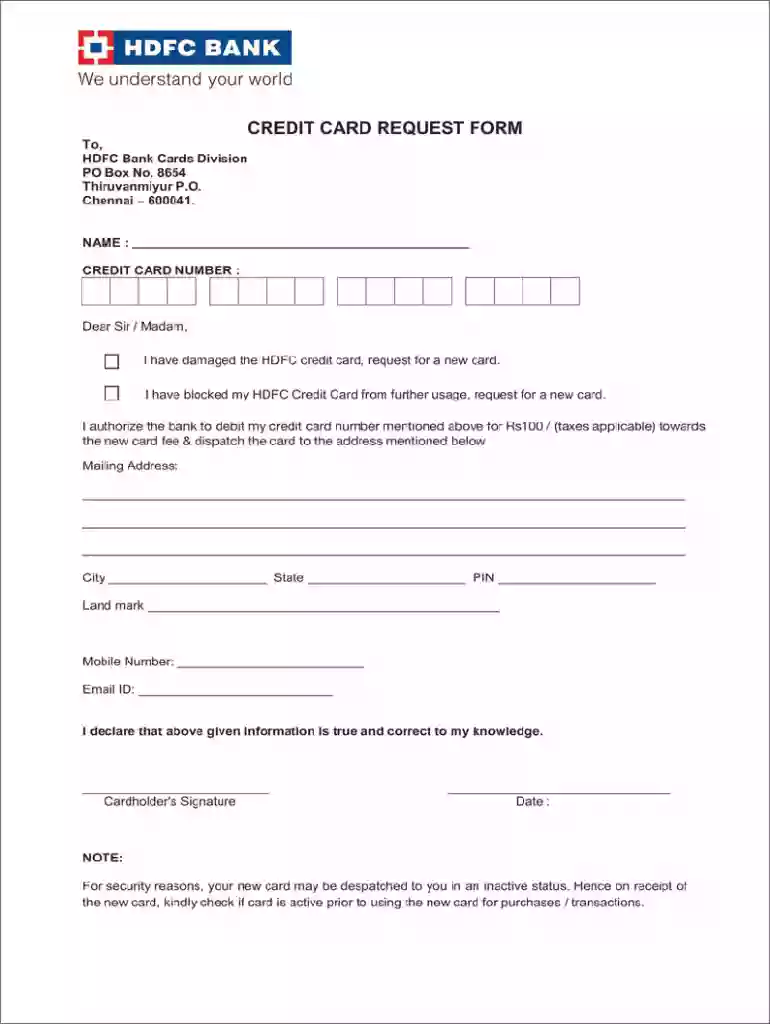
Hdfc credit card reissue 2025

Get Form
hdfc credit card replacement charges Preview on Page 1

Here's how it works

01. Edit your hdfc credit card replacement charges online
Type text, add images, blackout confidential details, add comments, highlights and more.

02. Sign it in a few clicks
Draw your signature, type it, upload its image, or use your mobile device as a signature pad.

03. Share your form with others
Send hdfc credit card reissue online via email, link, or fax. You can also download it, export it or print it out.

How to use or fill out HDFC Credit Card Reissue with Our Platform

Form edit decoration
9.5
Ease of Setup
DocHub User Ratings on G2
9.0
Ease of Use
DocHub User Ratings on G2
  1. Click ‘Get Form’ to open the HDFC credit card reissue form in the editor.
  2. Begin by entering your name in the designated field at the top of the form. Ensure that it matches your identification documents for accuracy.
  3. Input your current credit card number in the specified section. This is crucial for processing your request efficiently.
  4. Select one of the options indicating why you are requesting a new card: either due to damage or because you have blocked your existing card. This helps streamline your request.
  5. Fill in your mailing address, including city, state, and PIN code. Providing a landmark can assist in accurate delivery.
  6. Enter your mobile number and email ID for communication purposes regarding your request.
  7. Finally, sign and date the form at the bottom to confirm that all information provided is true and correct.

Start using our platform today to fill out your HDFC credit card reissue form online for free!

be ready to get more

Complete this form in 5 minutes or less

Get form

Got questions?

We have answers to the most popular questions from our customers. If you can't find an answer to your question, please contact us.
Contact us
0:08 1:30 Screen enter your card. Details create your desired PIN. And tap continue enter the OTP sent to yourMoreScreen enter your card. Details create your desired PIN. And tap continue enter the OTP sent to your registered mobile number and hit proceed. Thats it your PIN has been successfully.
To order a new credit card using online banking Select your credit card. Choose Card controls, then select Replacement card. Select the reason for the card replacement and choose Continue.
Once youve submitted a request for a new Credit Card, HDFC Bank will dispatch the card to your registered address within 10-15 working days. You can continue to use your existing Credit Card till you receive your new card.
Login into MyCards(using Registered Mobile number OTP)Under the respective Credit cardClick Services optionUnder Security choose Replace CardFollow the steps to submit your request. Customers holding active Credit card can use the related card details.
Credit Card reissue comes with certain charges, which can differ depending on the banks reason for reissue. Common scenarios for re-issuance include card expiration, loss, damage, theft or a desire to upgrade to a better card variant.
be ready to get more

Complete this form in 5 minutes or less

Get form

People also ask

How to pay for a replacement Credit Card? HDFC Bank charges Rs 100 for issuing a new Credit Card. When you apply for a new card, the fee is charged on your Credit Card. You then need to make a physical payment for the new card.

my card hdfc