




01. Edit your temp 2201 online
Type text, add images, blackout confidential details, add comments, highlights and more.

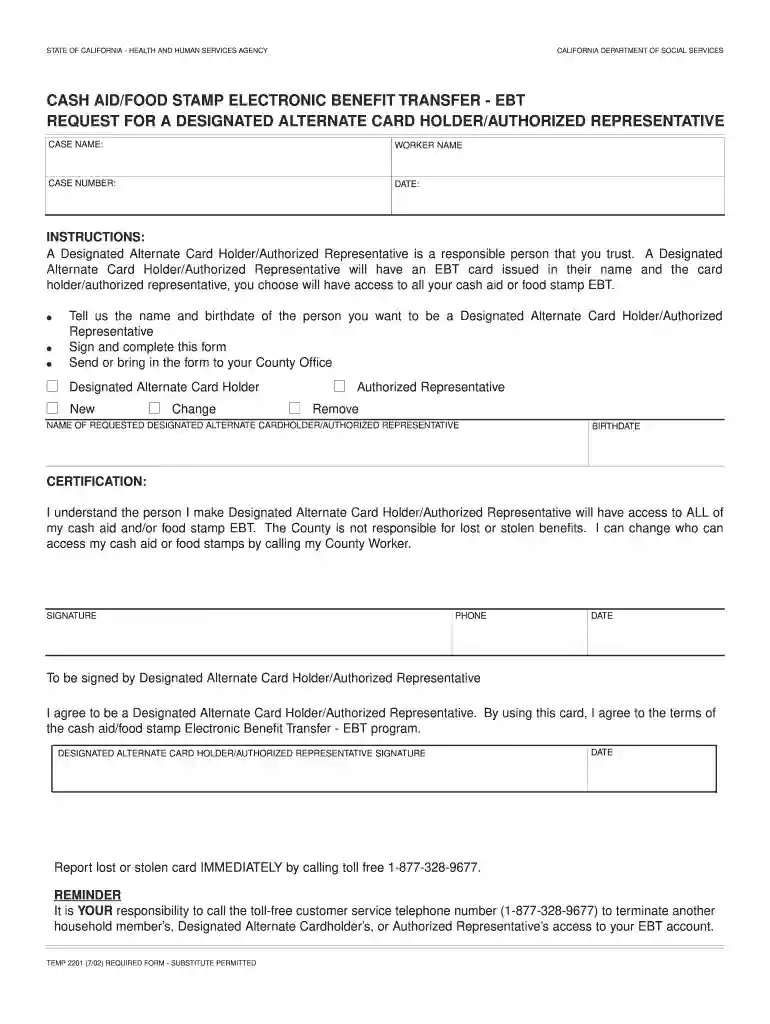
Type text, add images, blackout confidential details, add comments, highlights and more.

Draw your signature, type it, upload its image, or use your mobile device as a signature pad.

Send calfresh authorized representative form via email, link, or fax. You can also download it, export it or print it out.

Start using our platform today to fill out temp 2201 easily and for free!
Of course, electronically drawing your signature is appropriate, but only if you use a tool that complies with industry regulations and policies. Try DocHub, which guarantees eSignature validity under ESIGN and UETA requirements. All you need to eSign your temp 2201 form is an account with DocHub and an internet connection. When you open your file in our editor, click Sign and choose the Draw tool.
You can easily edit and complete your cf 101 authorized representative on any iOS gadget. Open an internet browser of your choice, visit the DocHub site, authorize or create a new account, upload your file for editing, and make your required changes. Our service is mobile-friendly, so using its functions on your phone will be a no-brainer, even on the first try.
At DocHub, your data security is our priority. We follow HIPAA, SOC2, GDPR, and other standards, so you can work on your documents with confidence.
Some server components return messages that are not described in this publication. Some of the message might include: Operating system. Database manager.Read more
State Service Verification *for TAMU, TAMUG, TAMHSC, TDEM only. Active Employees to Adjust Total State Service Months in Workday. Purpose:.Read more
It is YOUR responsibility to call the toll-free customer service telephone number (1-877-328-9677) to terminate another household members, Designated AlternateRead more


