




Here's how it works



How to use or fill out Interpreter Complaint Form - Virginia's Judicial System - courts state va with DocHub

- Click ‘Get Form’ to open the Interpreter Complaint Form in our platform.
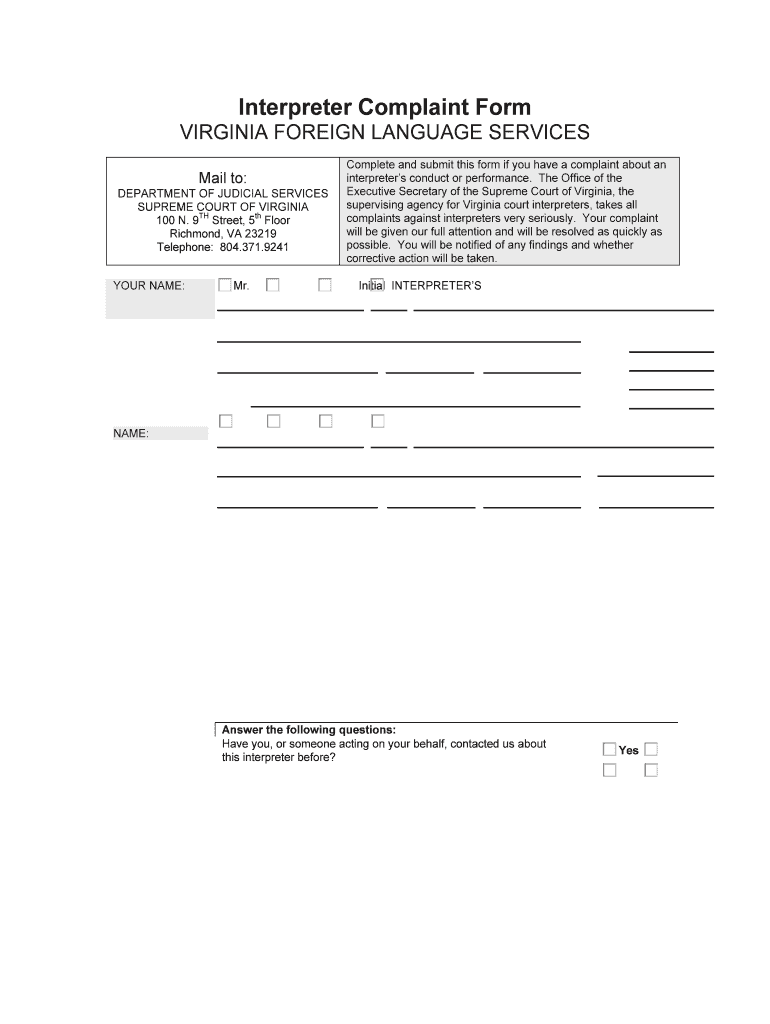
- Begin by entering your personal information in the 'YOUR NAME' section. Select your title (Mr., Mrs., Miss, Ms.) and fill in your first name, middle initial, and last name.
- Provide your contact details including your address, phone number, and email. Ensure all fields are filled accurately for effective communication.
- In the 'INTERPRETER’S NAME' section, input the interpreter's details using the same format as yours. This includes their title, name, and service location.
- Describe your complaint against the interpreter in detail. If necessary, continue on a separate page and attach any relevant documents that support your complaint.
- Answer the follow-up questions regarding previous contacts about this interpreter. Be sure to provide dates and outcomes if applicable.
- Finally, sign and date the form at the bottom to validate your submission before sending it to the Department of Judicial Services.
Start filling out your Interpreter Complaint Form today for free using our editor!
It's free
Got questions?
How can I eSign my Interpreter Complaint Form - Virginia's Judicial System - courts state va from Gmail?
With DocHub, it’s pretty simple. The editor offers users an add-on called DocHub for Gmail, which you can locate in the Google Workspace Marketplace free of charge. Set it up and give it access to your Google account. Open your email with your Interpreter Complaint Form - Virginia's Judicial System - courts state va attached and click on the add-on button in the right-side panel. Sign in to your DocHub account, and upload the form to our editor, where you can complete it and sign.
How do you modify Interpreter Complaint Form - Virginia's Judicial System - courts state va from Google Drive?
If you store your paperwork in Google Drive, there is no need to download your Interpreter Complaint Form - Virginia's Judicial System - courts state va on your computer and upload it back to our editor. A significantly simpler way is to set up a browser extension developed by DocHub to streamline this flow. The extension allows editing PDFs in your web browser. Alternatively, you can integrate your DocHub and Gmail accounts for more efficient modifying.
How do I file a criminal complaint in VA?
How do I file a complaint against a court clerk in Virginia?
How do I become a certified interpreter in Canada?
Security and compliance
At DocHub, your data security is our priority. We follow HIPAA, SOC2, GDPR, and other standards, so you can work on your documents with confidence.
Learn more


