Type text, add images, blackout confidential details, add comments, highlights and more.
02. Sign it in a few clicks
Draw your signature, type it, upload its image, or use your mobile device as a signature pad.
03. Share your form with others
Send army flag form via email, link, or fax. You can also download it, export it or print it out.
How to use or fill out da form 268 pdf with our platform
Ease of Setup
DocHub User Ratings on G2
Ease of Use
DocHub User Ratings on G2
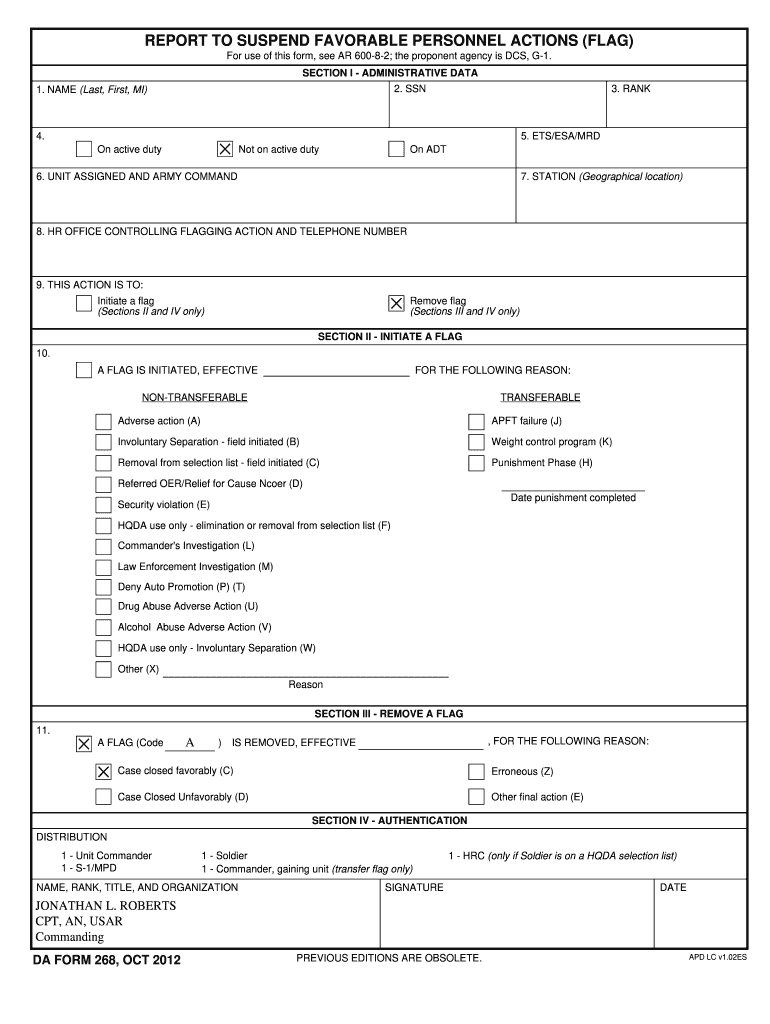
Click ‘Get Form’ to open the DA Form 268 PDF in the editor.
Begin by filling out Section I - Administrative Data. Enter your name, SSN, rank, and ETS/ESA/MRD status. Ensure accuracy as this information is crucial for identification.
In Section II, if you are initiating a flag, select the appropriate reason from the list provided. Indicate whether it is non-transferable or transferable and provide any necessary dates.
If you are removing a flag in Section III, specify the code and reason for removal. This section is essential for documenting the closure of any flags.
Finally, complete Section IV - Authentication by signing and dating the form. Make sure to include your name, rank, title, and organization for proper validation.
Start using our platform today to fill out your DA Form 268 PDF easily and for free!
STP 21-24-SMCT, Warrior Leader Skills, Level 2, 3, and 4.
Sep 9, 2008 Ensure that Soldiers tag detainees using a DD Form 2745, document the search using a DA Form 4137, and link both by the DD Form 2745 number.Read more
Cookie consent notice
This site uses cookies to enhance site navigation and personalize your experience.
By using this site you agree to our use of cookies as described in our Privacy Notice.
You can modify your selections by visiting our Cookie and Advertising Notice.