




Here's how it works

01. Edit your forming and naming binary ionic compounds practice worksheet online
Type text, add images, blackout confidential details, add comments, highlights and more.

02. Sign it in a few clicks
Draw your signature, type it, upload its image, or use your mobile device as a signature pad.

03. Share your form with others
Send forming ionic compounds worksheet via email, link, or fax. You can also download it, export it or print it out.
How to use or fill out forming binary worksheet with our platform

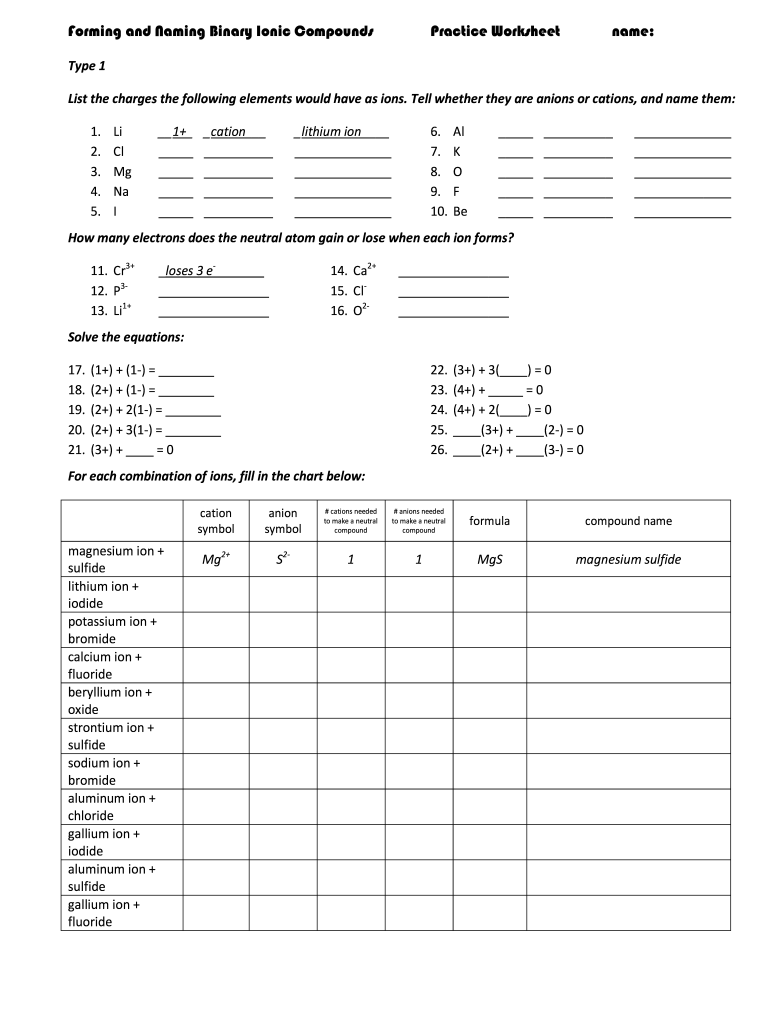
- Click ‘Get Form’ to open the forming binary worksheet in the editor.
- Begin by entering your name at the top of the worksheet. This personalizes your work and helps in tracking submissions.
- In the Type 1 section, list the charges for each element provided. Indicate whether they are cations or anions, and write their names accordingly.
- For ions like Cr3+ and P3-, specify how many electrons each neutral atom gains or loses when forming ions in the designated fields.
- Proceed to solve the equations by filling in the blanks with appropriate values that balance each equation based on ionic charges.
- Complete the chart for combinations of ions by filling in cation and anion symbols, along with required quantities to form neutral compounds.
- In Type 2, list possible charges for each cation and provide their systematic names as instructed.
Start using our platform today to effortlessly complete your forming binary worksheet online for free!
Fill out forming binary worksheet online
It's free
It's free
Security and compliance
At DocHub, your data security is our priority. We follow HIPAA, SOC2, GDPR, and other standards, so you can work on your documents with confidence.
Learn more


