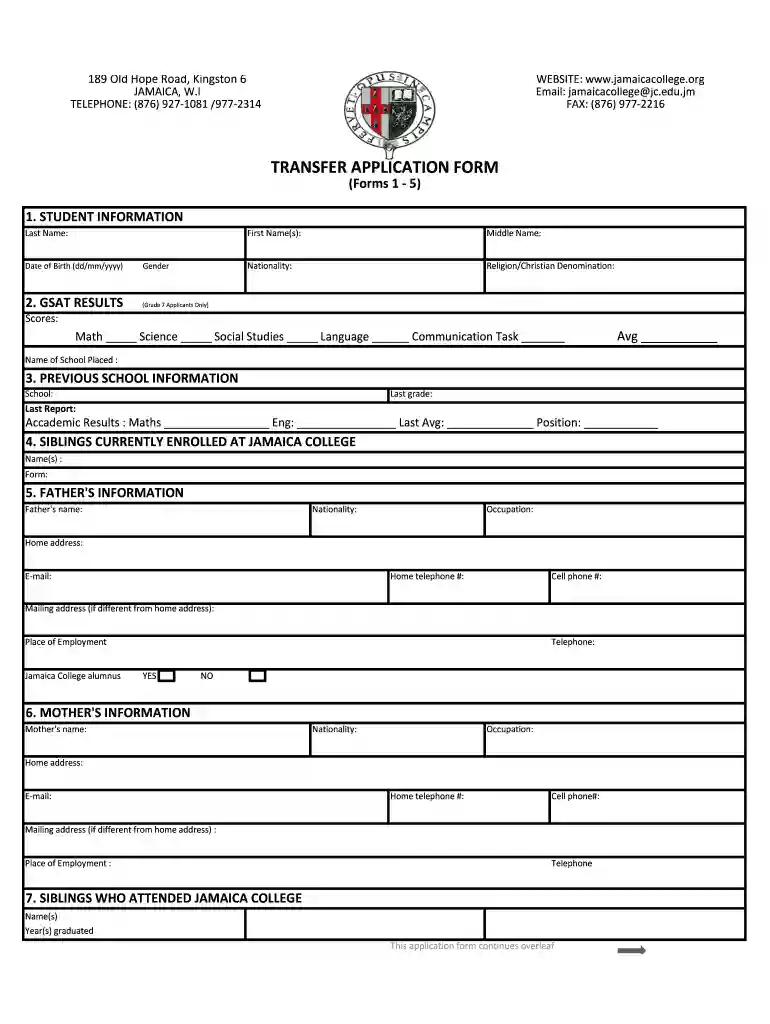
Jamaica college application form 2026

Get Form
jamaica college transfer form Preview on Page 1

Here's how it works

01. Edit your jamaica college transfer form online
Type text, add images, blackout confidential details, add comments, highlights and more.

02. Sign it in a few clicks
Draw your signature, type it, upload its image, or use your mobile device as a signature pad.

03. Share your form with others
Send tr1 form jamaica via email, link, or fax. You can also download it, export it or print it out.

How to use or fill out jamaica college application form with our platform

Form edit decoration
9.5
Ease of Setup
DocHub User Ratings on G2
9.0
Ease of Use
DocHub User Ratings on G2
  1. Click ‘Get Form’ to open the Jamaica College application form in the editor.
  2. Begin by filling out the 'STUDENT INFORMATION' section. Enter your last name, first name(s), nationality, date of birth, and gender.
  3. For Grade 7 applicants, complete the 'GSAT RESULTS' section by entering your scores for Math, Science, Social Studies, Language, and Communication Task. Calculate and input your average score.
  4. In the 'PREVIOUS SCHOOL INFORMATION' section, provide details about your last school attended, including the last grade completed and academic results.
  5. Fill in the 'FATHER'S INFORMATION' and 'MOTHER'S INFORMATION' sections with their names, nationalities, occupations, contact details, and whether they are alumni of Jamaica College.
  6. Complete sections regarding siblings currently enrolled at Jamaica College and those who have graduated.
  7. Detail your co-curricular and sports involvements as well as your reasons for applying to Jamaica College.
  8. Review all information for accuracy before signing the form to confirm that all details are correct and that you understand the application process.

Start using our platform today to easily fill out your Jamaica College application form online for free!

be ready to get more

Complete this form in 5 minutes or less

Get form

Got questions?

We have answers to the most popular questions from our customers. If you can't find an answer to your question, please contact us.
Contact us
Starting college or sixth form can be both exciting and overwhelming. Pens and pencils. These basic writing tools are a must-have for any college student. Highlighters and sticky notes. Notebooks and paper. Binders and folders. Laptop or tablet. Calculator. Books and course materials. Backpack or bag.
The Application Form Personal and educational data: Name, address, phone number, email, citizenship and residency information, high schools you have attended, college credits you have earned, parental information, senior year schedule, and standardized test scores. Honors and awards.
Students who wish to be transferred to JC must speak to the Dean of Student Affairs. Mrs. D. Walcott.
The transition from Grade 11 to Upper 6th form forms part of a unique period where students prepare mentally and physically for tertiary level training. The sixth form programme provides a platform upon which students can kickstart a career, skill training or direct employment/entrepreneurship.

Security and compliance

At DocHub, your data security is our priority. We follow HIPAA, SOC2, GDPR, and other standards, so you can work on your documents with confidence.

Learn more
ccpa2
pci-dss
gdpr-compliance
hipaa
soc-compliance
be ready to get more

Complete this form in 5 minutes or less

Get form