




Here's how it works

01. Edit your migraine diary pdf download online
Type text, add images, blackout confidential details, add comments, highlights and more.

02. Sign it in a few clicks
Draw your signature, type it, upload its image, or use your mobile device as a signature pad.

03. Share your form with others
Send migraine chart via email, link, or fax. You can also download it, export it or print it out.
How to use or fill out Download the SootheAway Migraine Diary with DocHub

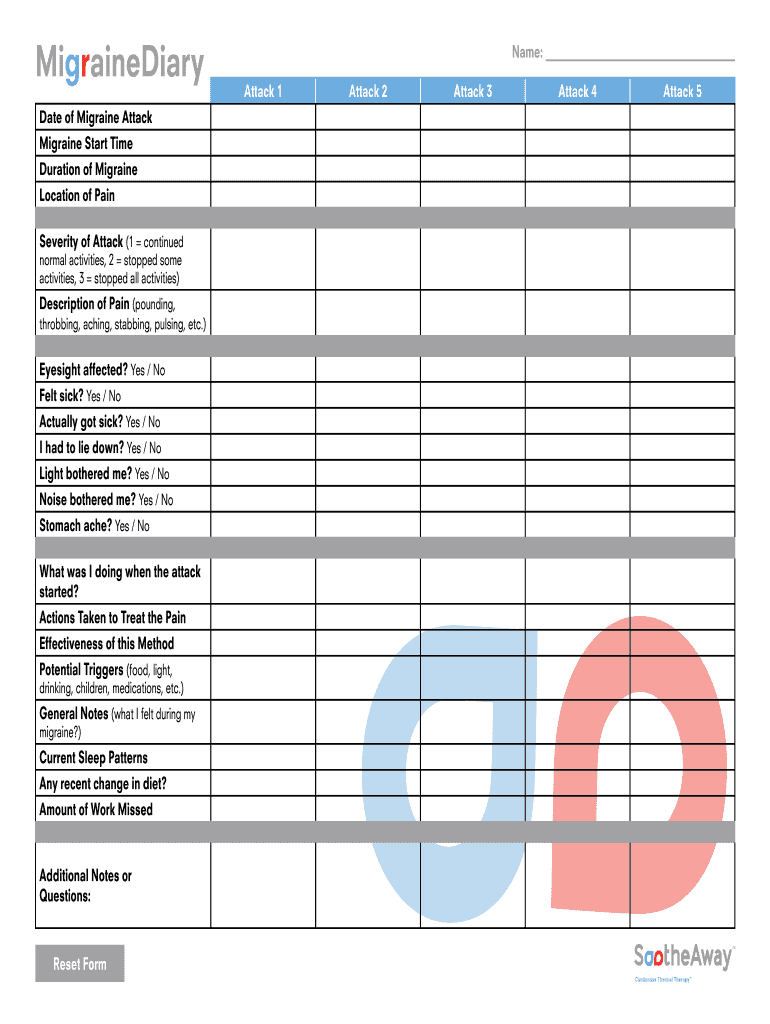
- Click ‘Get Form’ to open the SootheAway Migraine Diary in our editor.
- Begin by entering the 'Date of Migraine Attack' in the designated field. This helps track patterns over time.
- Next, fill in the 'Migraine Start Time' and 'Duration of Migraine' to provide a clear timeline of your experience.
- In the 'Location of Pain' section, specify where you felt discomfort. Use descriptive terms for clarity.
- Rate the 'Severity of Attack' on a scale from 1 to 3, indicating how much it affected your daily activities.
- Describe the type of pain experienced in the 'Description of Pain' field using terms like pounding or throbbing.
- Indicate whether your eyesight was affected and if you felt sick by selecting 'Yes' or 'No'.
- Document any actions taken to treat the pain and their effectiveness in the respective fields.
- List potential triggers that may have contributed to your migraine, such as food or light exposure.
- Finally, add any general notes or questions you may have regarding your migraine experience.
Start using our platform today to easily manage and document your migraine experiences for free!
Fill out Download the SootheAway Migraine Diary online
It's free
It's free
Security and compliance
At DocHub, your data security is our priority. We follow HIPAA, SOC2, GDPR, and other standards, so you can work on your documents with confidence.
Learn more


