




Here's how it works

01. Edit your motion change jurisdiction venue online
Type text, add images, blackout confidential details, add comments, highlights and more.

02. Sign it in a few clicks
Draw your signature, type it, upload its image, or use your mobile device as a signature pad.

03. Share your form with others
Send it via email, link, or fax. You can also download it, export it or print it out.
How to use or fill out motion change jurisdiction venue court with our platform

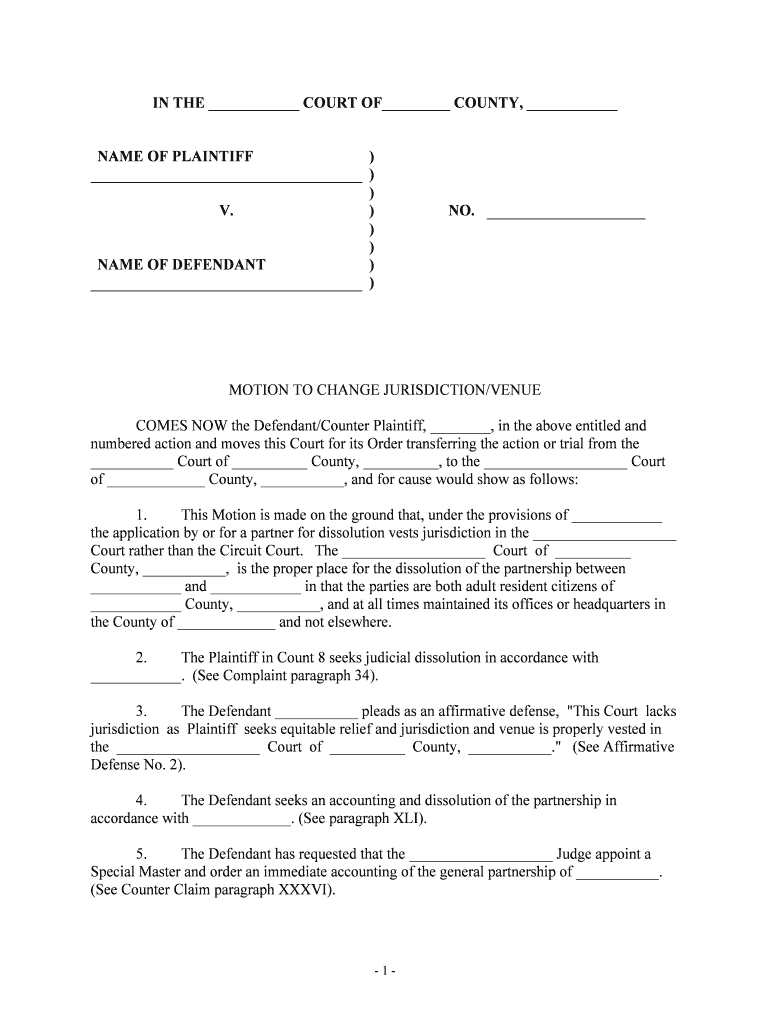
- Click ‘Get Form’ to open the motion change jurisdiction venue court document in the editor.
- Begin by filling in the court name and county at the top of the form. Ensure accuracy as this sets the context for your motion.
- In the section labeled 'NAME OF PLAINTIFF' and 'NAME OF DEFENDANT', enter the respective names clearly to identify all parties involved.
- Proceed to complete the motion details, specifying reasons for changing jurisdiction. Reference applicable laws or provisions that support your request.
- Fill in any additional sections regarding affirmative defenses or requests for relief, ensuring all claims are well-documented and justified.
- Finally, sign and date the document at the bottom, including your title as Attorney for Defendant/Counter Plaintiff, if applicable.
Start using our platform today to streamline your document editing and ensure a smooth filing process!
Fill out motion change jurisdiction venue court online
It's free
It's free
Got questions?
We have answers to the most popular questions from our customers. If you can't find an answer to your question, please contact us.
Contact us
Why would a motion to change venue be used?
A change of venue is the legal term for moving a trial to a new location.
How to motion a change of venue?
The Procedure for a Change of Venue Filing the motion. The moving party should file a motion for a change of venue with the court where the case is pending. Supporting affidavits. The moving party must also provide affidavits and other evidence to support the motion. Serving the motion. Hearing. The judges decision.
Where do you file a motion to change venue?
To move your case to another court, you must make a Motion to Change Venue in writing, and file one copy with the Court where your case is currently located and another copy with the Department of Homeland Security.
Security and compliance
At DocHub, your data security is our priority. We follow HIPAA, SOC2, GDPR, and other standards, so you can work on your documents with confidence.
Learn more


