




Here's how it works



How to use or fill out New Hampshire Registration Application with our platform

- Click ‘Get Form’ to open the New Hampshire Registration Application in the editor.
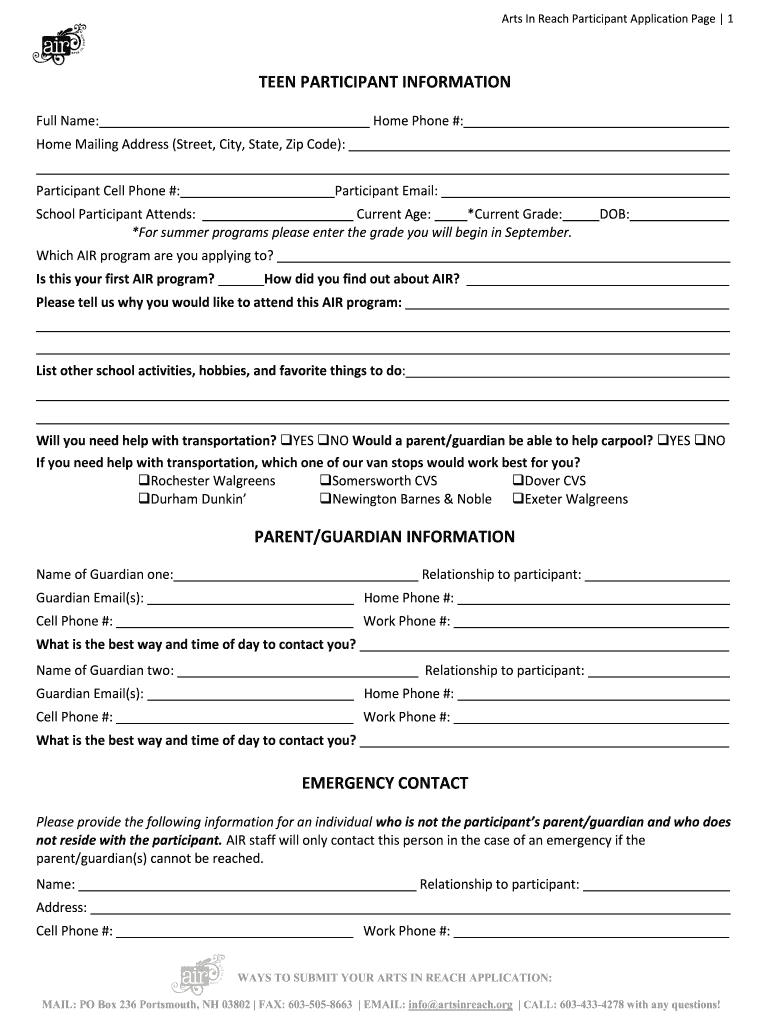
- Begin by filling out the 'Teen Participant Information' section. Enter the participant's full name, contact details, and school information. Make sure to specify their current age and grade.
- In the 'Parent/Guardian Information' section, provide details for both guardians, including names, relationships, and contact information. This ensures that AIR can reach out if necessary.
- Complete the 'Emergency Contact' section with an individual who is not a parent or guardian. This person will be contacted in case of emergencies.
- Fill out the 'Medical Information' section carefully. Include any relevant medical conditions, allergies, and emergency contacts for medical professionals.
- Review the 'Authorizations' section and check the appropriate boxes to grant permissions regarding photography, transportation, and first aid.
- Finally, complete the 'Permission to Participate and Parental Consent Form.' Ensure all signatures are provided before submitting your application.
Start using our platform today to easily fill out your New Hampshire Registration Application online for free!
It's free
Got questions?
How do I create an eSignature on my new hampshire registration application from Google Chrome?
Managing your documents with DocHub this way is very easy after you have downloaded its extension for Google Chrome. Navigate to the Chrome Web Store and set up DocHub - Sign PDF from Gmail to get it. Give our tool access to your Google account, and then open an email with the new hampshire registration application attached and point to the file with your cursor - the DocHub extension button will automatically show up there. Click on it to open your file in our editor. Make any essential modifications, fill out the blanks, and click Sign to create your legally-binding electronic signature.
How do you get new hampshire registration application?
You can find the latest and most relevant version of the new hampshire registration application in our DocHub forms library. Search it by categories or use the search field to locate the exact template that suits your case. You may open this form for editing after you find it.
Security and compliance
At DocHub, your data security is our priority. We follow HIPAA, SOC2, GDPR, and other standards, so you can work on your documents with confidence.
Learn more


