




Here's how it works



How to use or fill out How Much Does Premarital Counseling Cost? Angie's List with our platform

- Click ‘Get Form’ to open it in the editor.
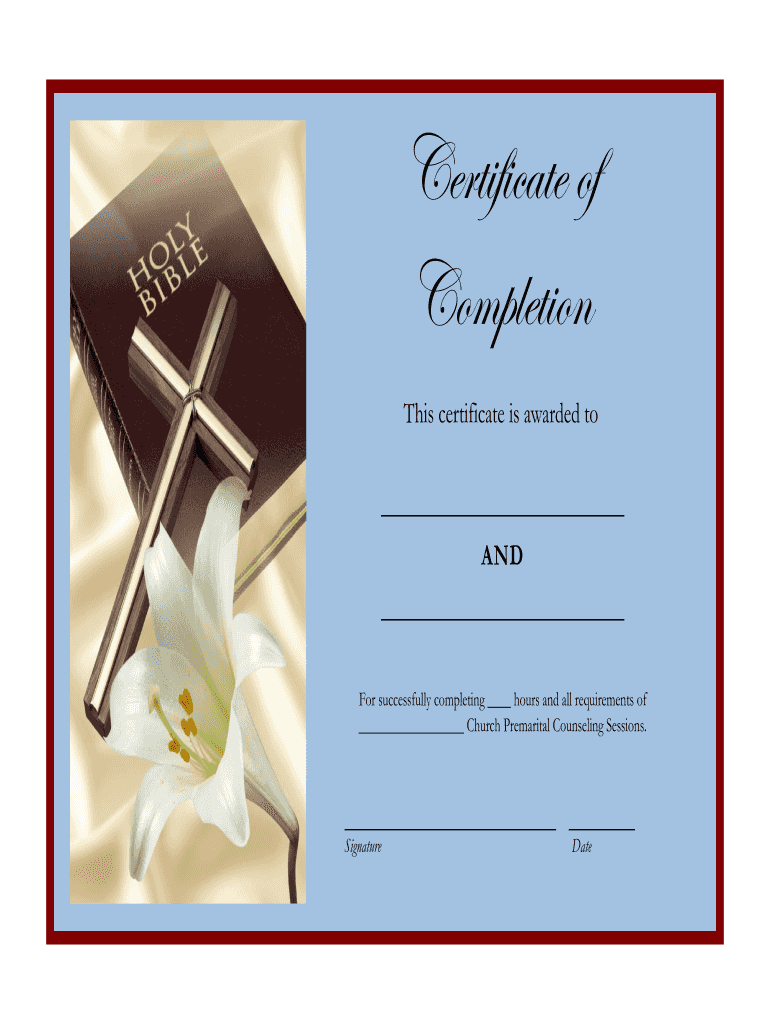
- In the first blank, enter the names of the individuals who completed the counseling sessions. Ensure that both names are clearly written for proper recognition.
- Next, fill in the number of hours completed in the designated space. This should reflect the total hours spent in counseling as required by your church.
- In the final section, specify the name of your church where the premarital counseling took place. This is important for validation purposes.
- Finally, sign and date the certificate at the bottom. Make sure to review all entries for accuracy before saving or printing.
Start using our platform today to easily complete your premarital counseling certificate for free!
It's free
Got questions?
How can I eSign my christian premarital counseling questions pdf in Word?
Microsoft Word doesn’t have signing tools to create valid eSignatures and enforceable documents. Fortunately, DocHub is an online eSignature-compliant editor that works with various file formats, such as .doc files. Sign in to your account and import the Word edition of your christian premarital counseling questions pdf from your device and cloud, or URL - our editor will automatically convert it into an editable PDF. Make all required changes in your form and click Sign to create your own legally-binding electronic signature. There are four signing options from which to choose.
How to manage my premarital counseling form from Gmail?
If your go-to email service is Gmail, you can easily incorporate your DocHub editor into your work. Edit your premarital counseling form with DocHub tools and connect it to your drafts in Gmail. See how easy it is to exchange papers and work together with a swift PDF editing solution at hand.
Security and compliance
At DocHub, your data security is our priority. We follow HIPAA, SOC2, GDPR, and other standards, so you can work on your documents with confidence.
Learn more


