




Here's how it works



How to use or fill out Parent Packet Youth Apprentice Application - gma abac with our platform

- Click ‘Get Form’ to open the Parent Packet Youth Apprentice Application in the editor.
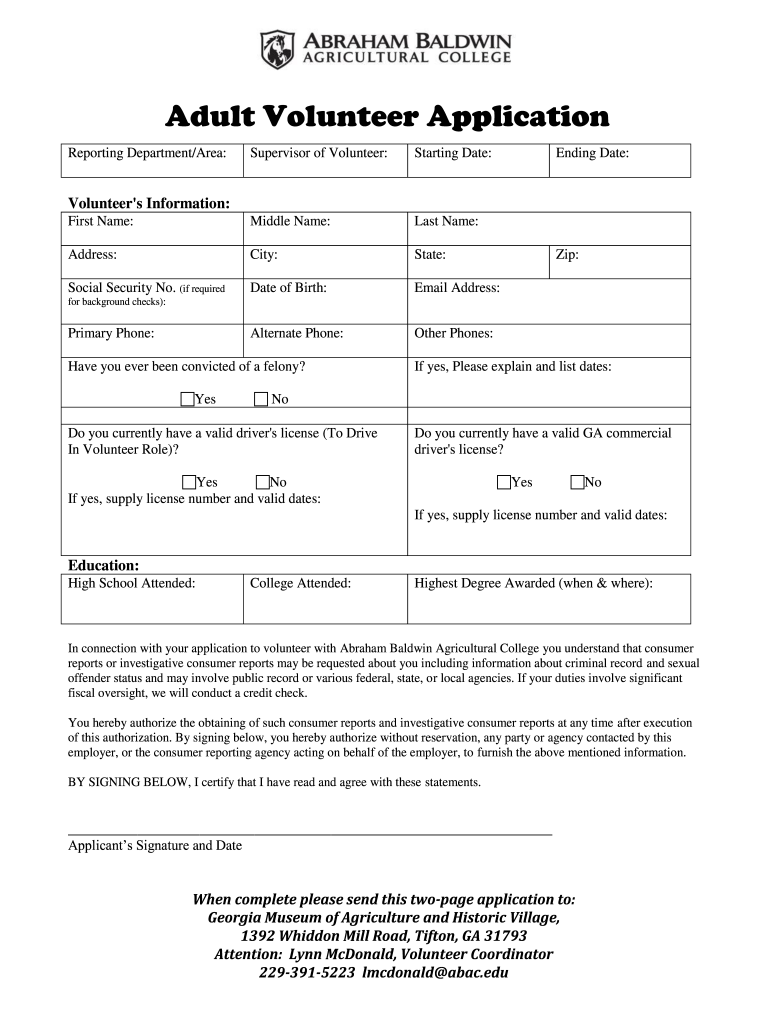
- Begin by filling in your personal information, including your first name, middle name, last name, address, city, state, and zip code. Ensure accuracy as this information is crucial for identification.
- Provide your contact details such as email address and phone numbers. If applicable, include alternate phone numbers for better communication.
- Complete the section regarding your background check by indicating if you have ever been convicted of a felony. If yes, provide an explanation and relevant dates.
- Fill out the education section by listing high schools and colleges attended along with the highest degree awarded.
- Review the authorization statement regarding consumer reports and ensure you understand its implications before signing at the bottom of the form.
- Once completed, save your document and follow the instructions to submit it to Georgia Museum of Agriculture and Historic Village.
Start using our platform today to easily fill out your application for free!
It's free
Got questions?
How can I send my Parent Packet Youth Apprentice Application - gma abac from Google Drive for signing?
If you often work with documents kept in your Google Drive, DocHub is a perfect solution for you to easily and quickly complete, edit, and approve them. This editor integrates properly with Google services, so you can export your Parent Packet Youth Apprentice Application - gma abac from your Google Drive to the editor without downloading and re-uploading it. Right-click on your document, select Open With → DocHub PDF Sign and Edit. In our editor, add and assign Signature Fields for all people involved, then click on the Menu button above → Send → decide on how you want to share your paperwork.
How do you edit Parent Packet Youth Apprentice Application - gma abac on iOS?
You can easily edit and complete your Parent Packet Youth Apprentice Application - gma abac on any iOS gadget. Open an internet browser of your liking, go to the DocHub site, authorize or create a new account, add your file for editing, and make your desired changes. Our service is mobile-friendly, so using its functions on your phone will be a no-brainer, even on the first try.
Security and compliance
At DocHub, your data security is our priority. We follow HIPAA, SOC2, GDPR, and other standards, so you can work on your documents with confidence.
Learn more


