




Here's how it works

01. Edit your form online
Type text, add images, blackout confidential details, add comments, highlights and more.

02. Sign it in a few clicks
Draw your signature, type it, upload its image, or use your mobile device as a signature pad.

03. Share your form with others
Send it via email, link, or fax. You can also download it, export it or print it out.
How to use or fill out Graduate Program in Genetics - Tufts University Graduate with DocHub

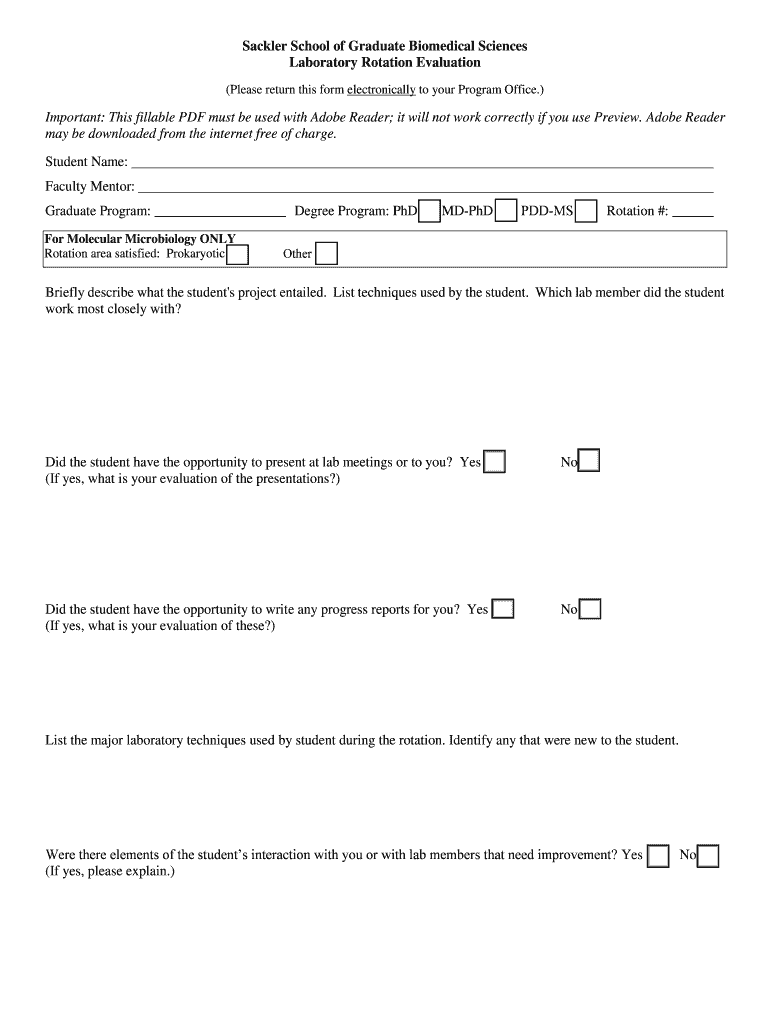
- Click ‘Get Form’ to open the Graduate Program in Genetics evaluation form in our editor.
- Begin by entering your name and the faculty mentor's name in the designated fields. Ensure accuracy as this information is crucial for identification.
- Select your graduate program from the dropdown menu, specifying whether you are pursuing a PhD, MD-PhD, or PDD-MS. This helps categorize your evaluation appropriately.
- In the section regarding rotation area satisfied, indicate if it pertains to Prokaryotic studies or another area. This provides context for your evaluation.
- Detail the student's project by describing its objectives and listing techniques used. This section allows you to highlight the student’s contributions and learning experiences.
- Evaluate presentation opportunities by selecting 'Yes' or 'No' and provide feedback on their performance if applicable. This feedback is essential for student development.
- Use the provided scale to assess various competencies such as understanding, presentation skills, initiative, and technical ability. Be thorough in your scoring to ensure fair assessment.
- Finally, sign and date the form electronically within our platform before submitting it back to your program office for processing.
Start using our platform today to streamline your document editing and submission process!
Fill out Graduate Program in Genetics - Tufts University Graduate online
It's free
It's free
Security and compliance
At DocHub, your data security is our priority. We follow HIPAA, SOC2, GDPR, and other standards, so you can work on your documents with confidence.
Learn more


