




Here's how it works

01. Edit your form online
Type text, add images, blackout confidential details, add comments, highlights and more.

02. Sign it in a few clicks
Draw your signature, type it, upload its image, or use your mobile device as a signature pad.

03. Share your form with others
Send it via email, link, or fax. You can also download it, export it or print it out.
How to use or fill out HBCUs that waive out of state tuition - The Hundred-Seven

- Click ‘Get Form’ to open it in the editor.
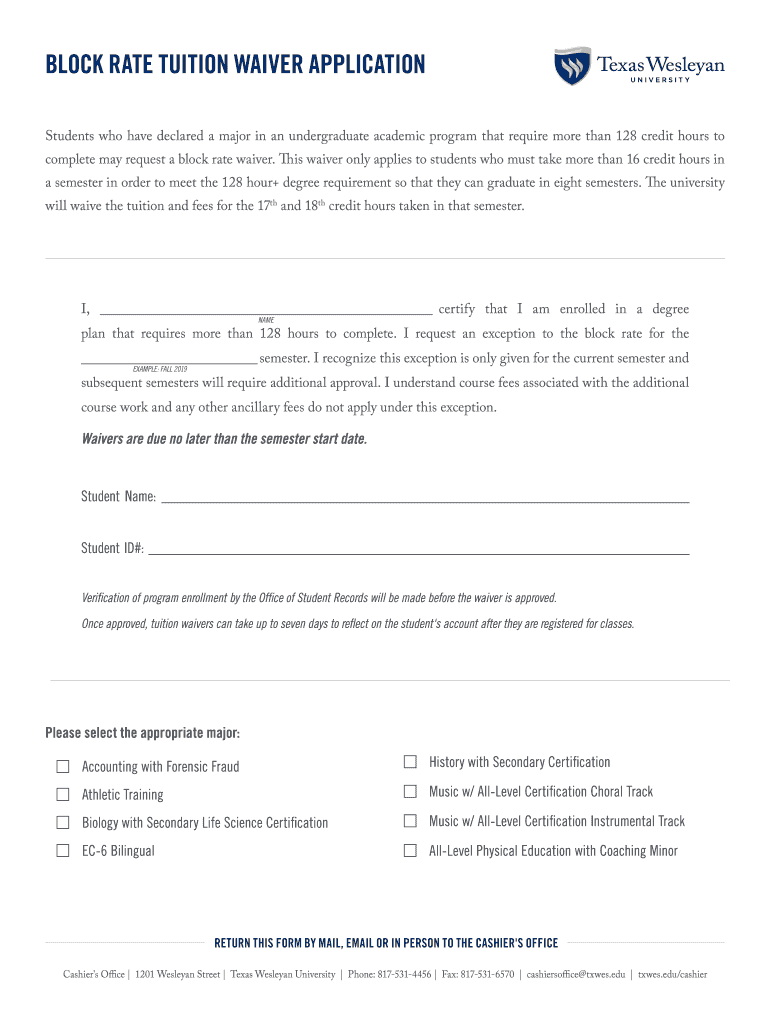
- Begin by entering your full name in the designated field where it states 'I, _______________ certify that I am enrolled in a degree plan...'.
- Next, specify the semester for which you are requesting the waiver by filling in the blank next to 'I request an exception to the block rate for the _________ semester.' Ensure this is accurate as it pertains to your current enrollment.
- Fill in your Student Name and Student ID# in their respective fields. This information is crucial for processing your application.
- Select your major from the provided options by checking the appropriate box. Make sure to choose one that aligns with your declared program.
- Review all entered information for accuracy before submitting. Remember, waivers must be submitted by the semester start date.
Start using our platform today to complete your application effortlessly and for free!
Fill out HBCUs that waive out of state tuition - The Hundred-Seven online
It's free
It's free
Security and compliance
At DocHub, your data security is our priority. We follow HIPAA, SOC2, GDPR, and other standards, so you can work on your documents with confidence.
Learn more


