




Here's how it works



How to use or fill out his familys reaction to the situation she says And then with our platform

- Click ‘Get Form’ to open it in the editor.
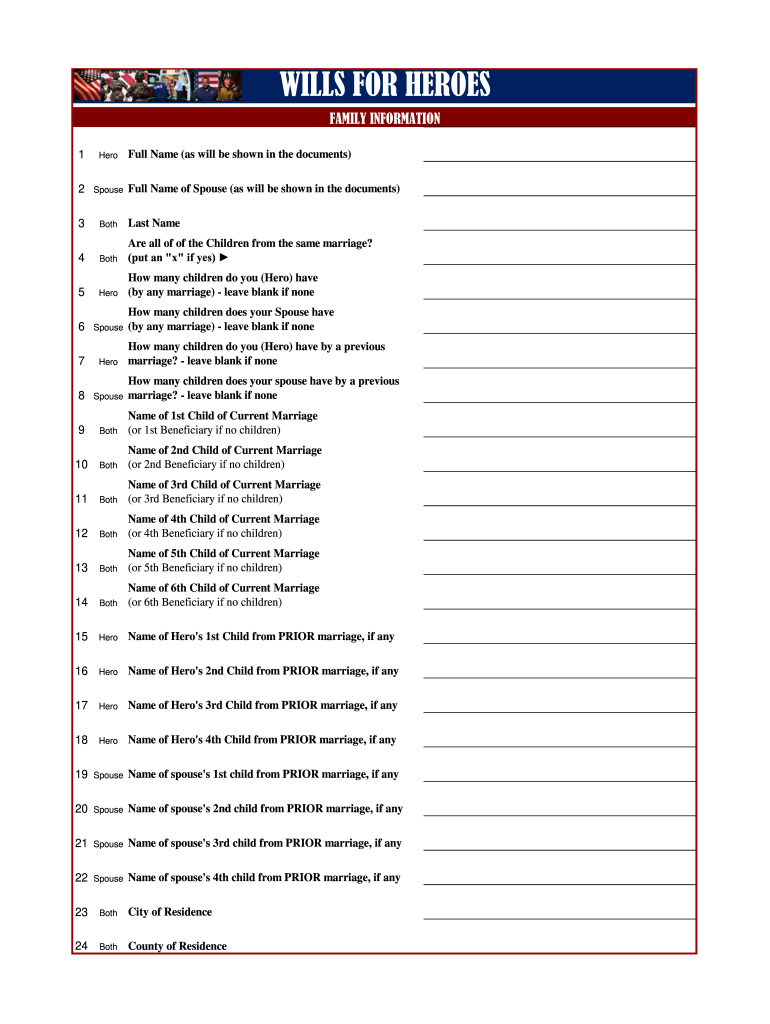
- Begin by entering the full name of the Hero and Spouse as they will appear in the documents. Ensure accuracy for legal purposes.
- Indicate whether all children are from the same marriage by placing an 'x' in the appropriate box.
- Fill in the number of children for both Hero and Spouse, leaving blank if there are none.
- List each child's name under their respective sections, including those from prior marriages, ensuring you follow the format provided.
- Complete sections regarding Health Care Surrogates and Attorneys-in-Fact by providing names and relationships accurately.
- Finally, review all entries for completeness and correctness before saving or sharing your document.
Start using our platform today to streamline your document editing and ensure your family's needs are met efficiently!
It's free
Got questions?
Is it secure to sign my his familys reaction to the situation she says And then electronically?
You should use only trusted software solutions with strong security compliance to sign your paperwork electronically. DocHub is just the type of editor you need! It stores data on Amazon Web Servers and complies with all essential security requirements and eSignature laws, so it’s a trustworthy way to eSign your his familys reaction to the situation she says And then or other forms with this tool.
Can I sign my his familys reaction to the situation she says And then while I edit it?
When you edit your his familys reaction to the situation she says And then with DocHub, you simply will not need to look for other software or solutions to sign it. An electronic signature is part of DocHub’s comprehensive editing toolset, which enables you to apply changes in your form without switching between websites. Simply complete your form, double-check the correctness of your data and put your electronic signature at the end to make it submission-ready in minutes.
Security and compliance
At DocHub, your data security is our priority. We follow HIPAA, SOC2, GDPR, and other standards, so you can work on your documents with confidence.
Learn more


