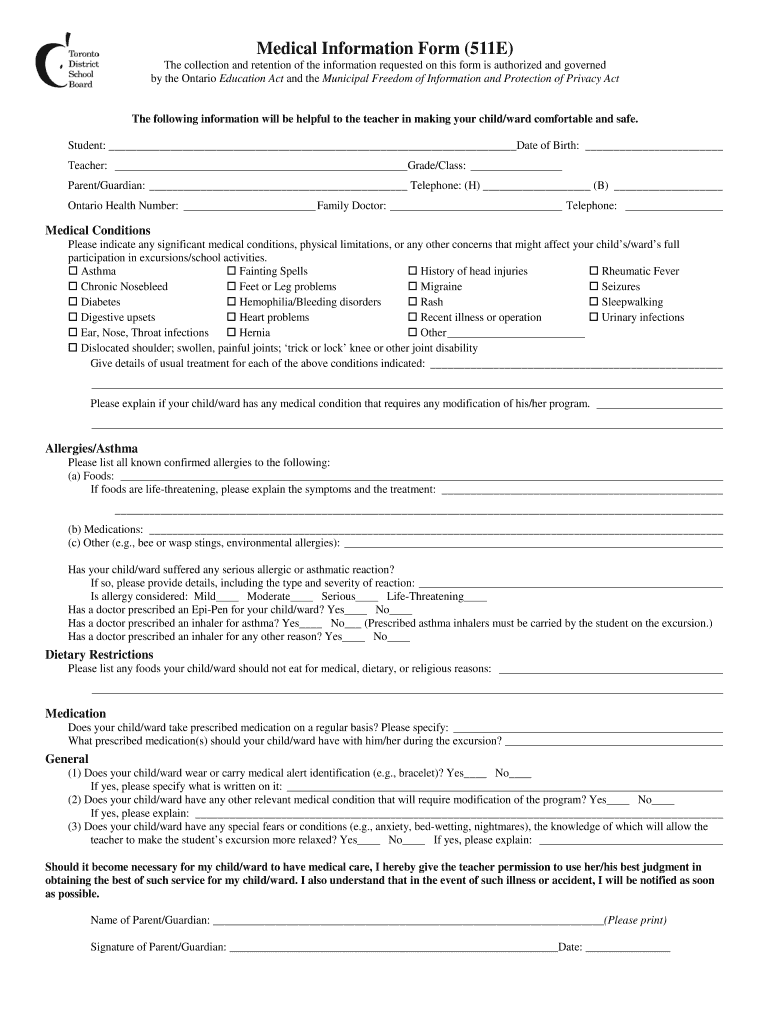
Form 511E: Medical Information for Excursions - TDSB School 2026

Get Form
tdsb medical form Preview on Page 1

Here's how it works

01. Edit your tdsb medical form online
Type text, add images, blackout confidential details, add comments, highlights and more.
02. Sign it in a few clicks
Draw your signature, type it, upload its image, or use your mobile device as a signature pad.
03. Share your form with others
Send it via email, link, or fax. You can also download it, export it or print it out.

How to use or fill out Form 511E: Medical Information for Excursions - TDSB School with Our Platform

Form edit decoration
9.5
Ease of Setup
DocHub User Ratings on G2
9.0
Ease of Use
DocHub User Ratings on G2
  1. Click ‘Get Form’ to open it in the editor.
  2. Begin by entering your child's name and date of birth in the designated fields. This information is crucial for identifying your child during excursions.
  3. Fill in the teacher's name and grade/class. This helps ensure that the correct staff member is informed about your child's medical needs.
  4. Provide parent/guardian contact details, including home and business telephone numbers, ensuring that you can be reached in case of an emergency.
  5. Indicate any significant medical conditions or allergies by checking the appropriate boxes. Be sure to provide detailed explanations where necessary, especially for life-threatening conditions.
  6. List any dietary restrictions and prescribed medications your child takes regularly. This information is vital for their safety during school activities.
  7. Review all entered information carefully before submitting the form to ensure accuracy and completeness.

Start using our platform today to easily complete Form 511E and ensure a safe excursion experience for your child!

be ready to get more

Complete this form in 5 minutes or less

Get form

Got questions?

We have answers to the most popular questions from our customers. If you can't find an answer to your question, please contact us.
Contact us

Electronic document approval demands a software solution that works in compliance with data security and eSignature standards. DocHub is an excellent tool for that, since it fulfills all the aforementioned requirements. Whatever method you prefer to sign your Form 511E: Medical Information for Excursions - TDSB School in DocHub, your eSignature will be legally binding and court-admissible.

With DocHub, there are several convenient methods to edit your Form 511E: Medical Information for Excursions - TDSB School online. You can drag and drop the form and edit it directly at the DocHub website or use our browser extension to fill out your form right away. On top of that, you can edit your PDF on your phone, as DocHub is compatible with all the accessible mobile platforms.