




Here's how it works



How to use or fill out Ethics Complaint Appeals Form - Texas Certification Board with our platform

- Click ‘Get Form’ to open the Ethics Complaint Appeals Form in the editor.
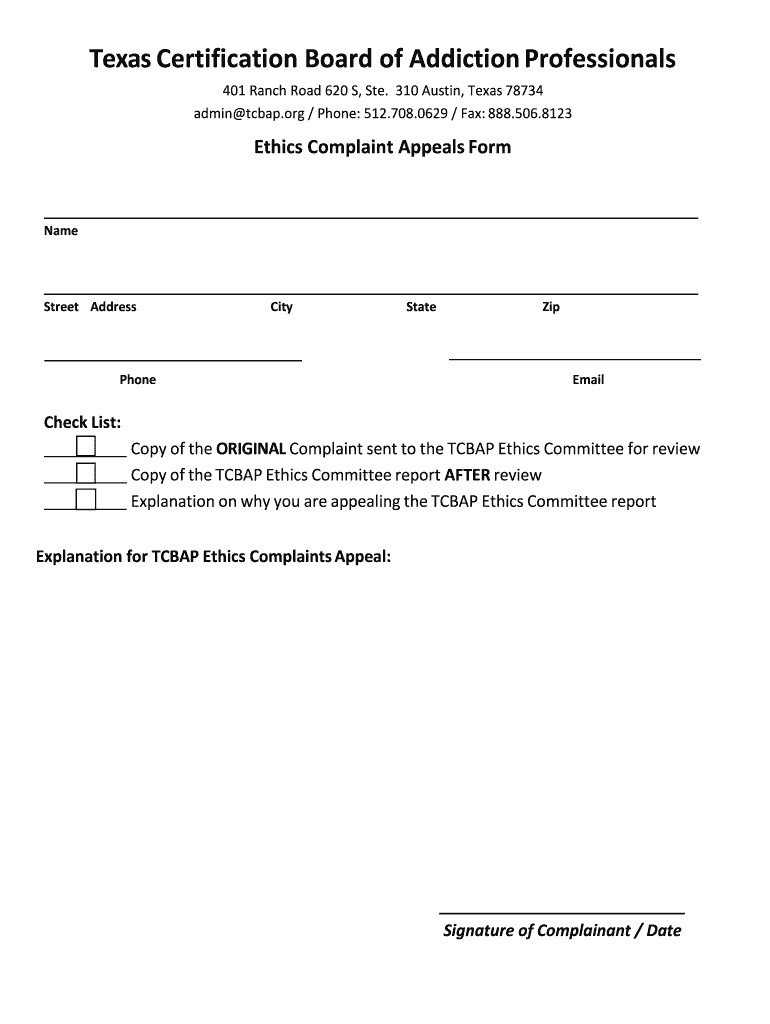
- Begin by entering your personal information in the designated fields: Name, Street Address, City, State, Zip, Phone, and Email. Ensure all details are accurate for effective communication.
- Next, refer to the checklist section. Attach a copy of the original complaint sent to the TCBAP Ethics Committee and include a copy of their report after review. You can easily upload these documents using our platform.
- In the explanation section, provide a clear rationale for your appeal regarding the TCBAP Ethics Committee report. Be concise yet thorough to ensure your points are well understood.
- Finally, sign and date the form at the bottom. This step is crucial as it validates your submission.
Start using our platform today to complete your Ethics Complaint Appeals Form effortlessly and for free!
It's free
Got questions?
Can I type my electronic signature on my Ethics Complaint Appeals Form - Texas Certification Board?
Yes, a typed name is recognized as a legitimate electronic signature when you add it to your paperwork using a compliant solution like DocHub. Simply import your Ethics Complaint Appeals Form - Texas Certification Board to our editor, click Sign in the top tool pane → Create your signature → Type your name in the appropriate tab, and select how it will appear on your document.
How do you edit Ethics Complaint Appeals Form - Texas Certification Board online?
With DocHub, there are several convenient ways to edit your Ethics Complaint Appeals Form - Texas Certification Board online. You can drag and drop the form and edit it straight at the DocHub website or use our browser extension to fill out your form immediately. Additionally, you can edit your PDF on your smartphone, as DocHub works with all the available mobile platforms.
Security and compliance
At DocHub, your data security is our priority. We follow HIPAA, SOC2, GDPR, and other standards, so you can work on your documents with confidence.
Learn more


