




01. Edit your form online
Type text, add images, blackout confidential details, add comments, highlights and more.

Type text, add images, blackout confidential details, add comments, highlights and more.

Draw your signature, type it, upload its image, or use your mobile device as a signature pad.

Send it via email, link, or fax. You can also download it, export it or print it out.

Start using our platform today for free to streamline your document editing and submission process!
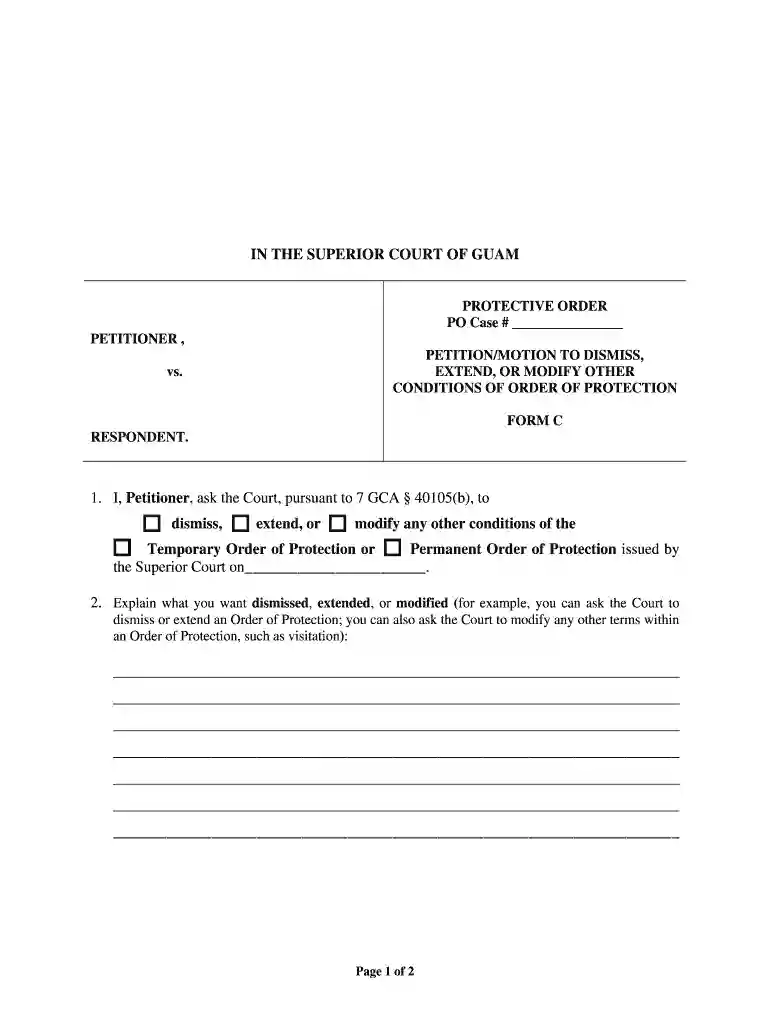
Managing your forms with DocHub this way is very straightforward once you have downloaded its extension for Google Chrome. Go to the Chrome Web Store and set up DocHub - Sign PDF from Gmail to obtain it. Give our tool access to your Google account, and then open an email containing Petition Motion to Dismiss, Extend, or Modify Other Conditions of - guamcourts as an attachment and point to the file with your cursor - the DocHub extension key will automatically show up there. Click on it to open your file in our editor. Make any necessary adjustments, fill out the blanks, and click Sign to create your legally-binding electronic signature.
You can complete and eSign your Petition Motion to Dismiss, Extend, or Modify Other Conditions of - guamcourts online, even on a tight deadline. All you need to access top-notch editing instruments on any device is a DocHub account, that you can sign up in just a few moments. After you register, add your file or find what you are searching for in our catalog, complete it utilizing the editing instruments you need, and put your electronic signature on it at the end.
At DocHub, your data security is our priority. We follow HIPAA, SOC2, GDPR, and other standards, so you can work on your documents with confidence.
by S Dodson 2022 Cited by 10 MOTIONS TO DISMISS FOR FAILURE TO STATE A CLAIM AFTER Iqbal 1 ・ the Supreme Court Rules are practically nonexistent.81 ・ rules pertaining to the timeliness
Explain what you want dismissed, extended, or modified. PETITION/MOTION TO DISMISS, EXTEND, OR MODIFY OTHER CONDITIONS OF ORDER OF PROTECTION FORM


