




Here's how it works



How to use or fill out Small Claims Court - Order Releasing Money Order Releasing Money - guamselfhelp with our platform

- Click ‘Get Form’ to open the document in the editor.
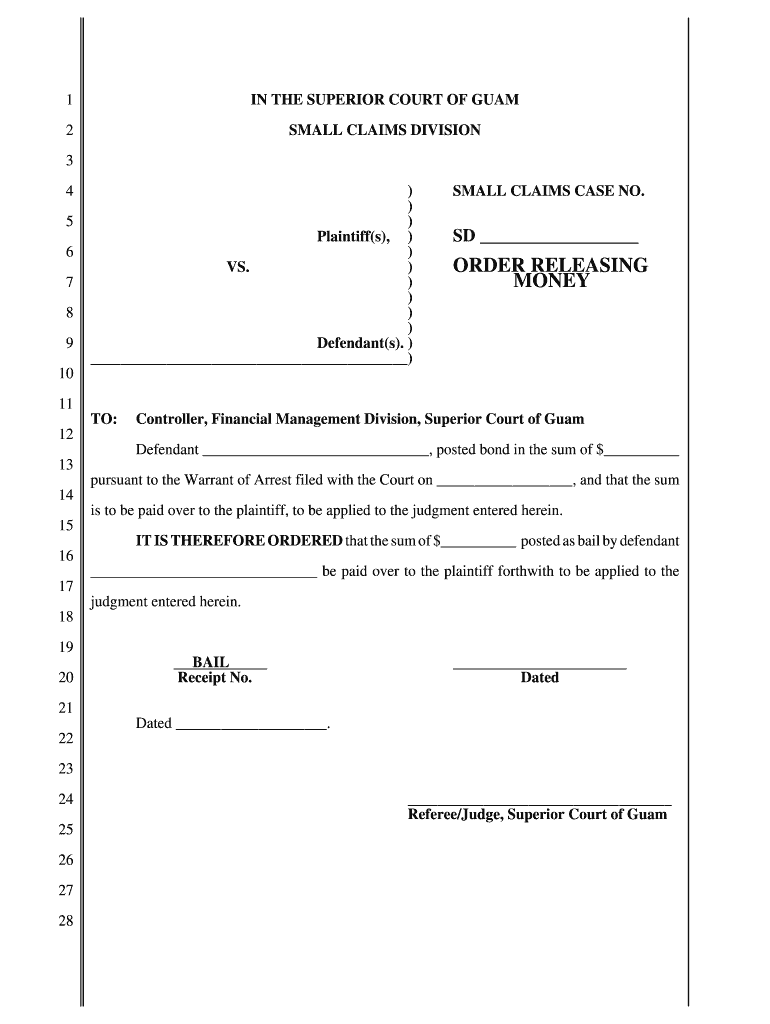
- Begin by entering the Small Claims Case Number in the designated field at the top of the form. This number is crucial for identifying your case.
- In the 'TO' section, specify the name of the Controller, Financial Management Division, Superior Court of Guam.
- Fill in the defendant's name and the amount of bond posted in the respective fields. Ensure accuracy as this information is vital for processing.
- Indicate the date when the Warrant of Arrest was filed with the Court. This helps establish a timeline for your case.
- Finally, sign and date at the bottom where indicated by 'Referee/Judge'. This confirms that you are authorized to submit this order.
Start using our platform today to complete your Small Claims Court form easily and for free!
It's free
Got questions?
How can I send my Small Claims Court - Order Releasing Money Order Releasing Money - guamselfhelp from Google Drive for approval?
If you frequently deal with documents stored in your Google Drive, DocHub is a superb solution for you to easily and quickly fill out, adjust, and sign them. This editor integrates well with Google apps, so you can export your Small Claims Court - Order Releasing Money Order Releasing Money - guamselfhelp from your Google Drive to the editor without the need of downloading and re-uploading it. Right-click on your document, choose Open With → DocHub PDF Sign and Edit. In our editor, add and assign Signature Fields for all parties involved, then click on the Menu button above → Send → select how you want to share your form.
How do you fill out Small Claims Court - Order Releasing Money Order Releasing Money - guamselfhelp online?
You may get and modify your Small Claims Court - Order Releasing Money Order Releasing Money - guamselfhelp online with the help of DocHub. Its simple yet feature-rich design allows you to start effective work right after you register your account. Create your account and add your file, and then our interface will guide you via our stress-free form completion experience.
Security and compliance
At DocHub, your data security is our priority. We follow HIPAA, SOC2, GDPR, and other standards, so you can work on your documents with confidence.
Learn more


