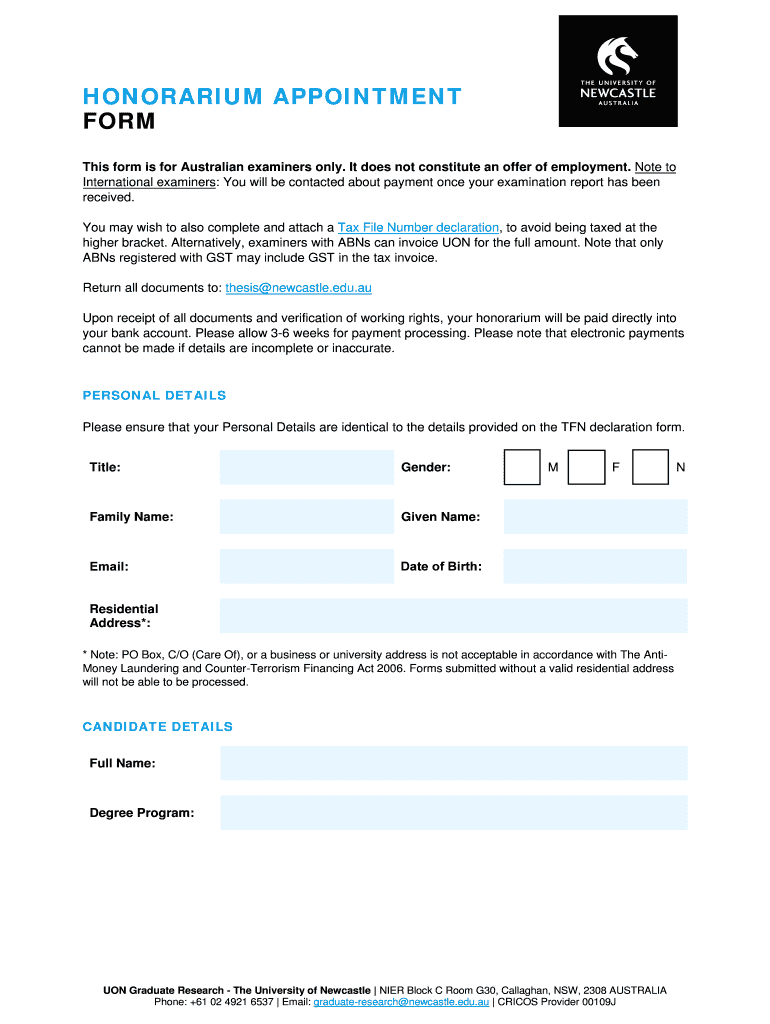
Honorarium appointment form - University of Newcastle 2026

Get Form
honorarium appointment form - University of Newcastle Preview on Page 1

Here's how it works

01. Edit your form online
Type text, add images, blackout confidential details, add comments, highlights and more.
02. Sign it in a few clicks
Draw your signature, type it, upload its image, or use your mobile device as a signature pad.
03. Share your form with others
Send it via email, link, or fax. You can also download it, export it or print it out.

How to use or fill out honorarium appointment form - University of Newcastle with our platform

Form edit decoration
9.5
Ease of Setup
DocHub User Ratings on G2
9.0
Ease of Use
DocHub User Ratings on G2
  1. Click ‘Get Form’ to open it in the editor.
  2. Begin by filling out the 'Personal Details' section. Ensure that your title, gender, family name, given name, email, and date of birth are accurate and match your Tax File Number declaration form.
  3. In the 'Residential Address' field, provide a valid residential address. Note that PO Box or business addresses are not acceptable.
  4. Complete the 'Candidate Details' section with your full name and degree program information.
  5. Fill in your Australian bank account details accurately, including account holder's name, account number (max. 9 digits), and BSB (6 digits required).
  6. Confirm your Australian work rights by selecting the appropriate option based on your citizenship or residency status.
  7. In the 'Declaration' section, authorize UON to pay your honorarium and confirm that all provided information is true. Don't forget to sign and date the form.

Start using our platform today for free to complete your honorarium appointment form effortlessly!

be ready to get more

Complete this form in 5 minutes or less

Get form

Got questions?

We have answers to the most popular questions from our customers. If you can't find an answer to your question, please contact us.
Contact us

You should use only trustworthy software solutions with strong security compliance to approve your documents electronically. DocHub is just the type of editor you need! It stores data on Amazon Web Servers and complies with all required security criteria and eSignature regulations, so it’s a trusted way to eSign your honorarium appointment form - University of Newcastle or other paperwork using this tool.

In case your go-to email service is Gmail, it is simple to incorporate your DocHub editor into your work. Modify your honorarium appointment form - University of Newcastle with DocHub tools and connect it to your drafts in Gmail. See how straightforward it is to exchange papers and collaborate with a swift PDF editing solution at hand.

Security and compliance

At DocHub, your data security is our priority. We follow HIPAA, SOC2, GDPR, and other standards, so you can work on your documents with confidence.

Learn more
ccpa2
pci-dss
gdpr-compliance
hipaa
soc-compliance
be ready to get more

Complete this form in 5 minutes or less

Get form