




Here's how it works



How to use or fill out Forms: Guardianship and Conservatorship STATE OF IDAHO

- Click ‘Get Form’ to open it in the editor.
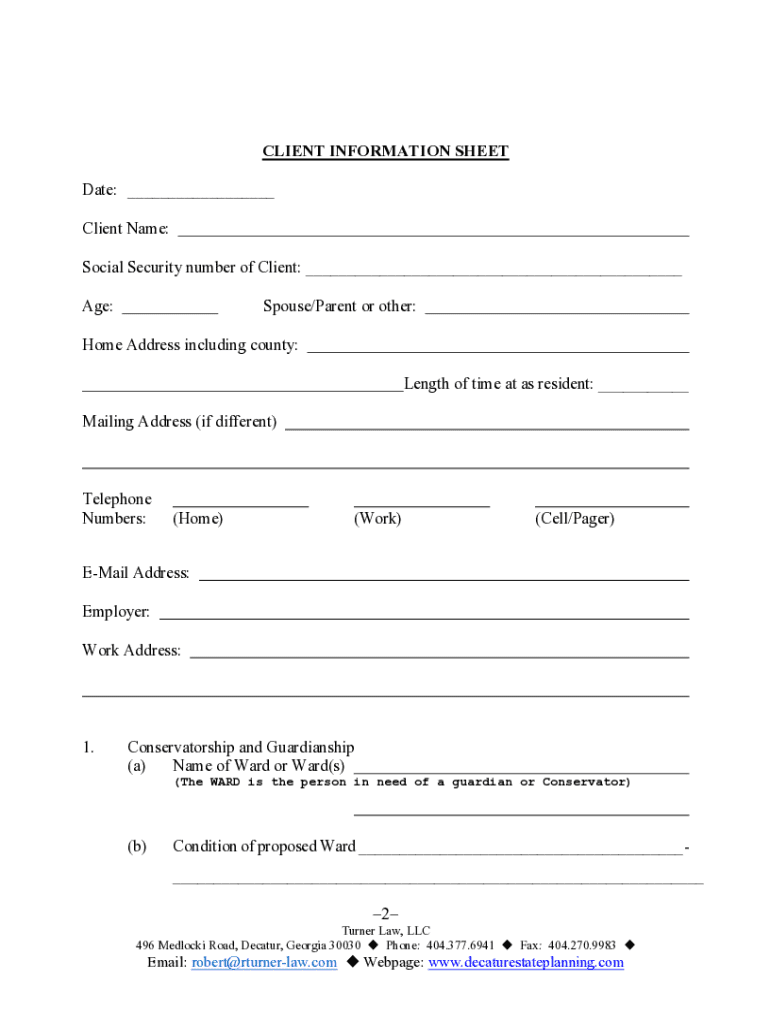
- Begin by filling out the Client Information Sheet. Enter the date, client name, social security number, age, and contact details including home and mailing addresses.
- In the Conservatorship and Guardianship section, provide the name of the Ward (the individual needing assistance) and describe their condition in detail.
- List the nearest relatives of the Ward in the designated area, ensuring you include their names, addresses, telephone numbers, and relationship to the Ward.
- Identify the person nominated as Guardian or Conservator for the Ward. Include any relevant documentation that supports this nomination.
- Detail the assets of the Ward under 'Property of Ward(s)', listing all properties and financial information accurately.
- Complete sections regarding income sources and any potential conflicts of interest for proposed guardians or conservators.
Start using our platform today to fill out your Guardianship and Conservatorship forms easily and for free!
It's free
Got questions?
Can I sign my termination of guardianship idaho electronically?
According to eSignature regulations, forms approved electronically have the same validity as traditionally approved ones. You can eSign almost any business and private paperwork. Four types of paperwork still call for handwritten signatures only - wills and testamentary trusts, court orders and other court papers, state statutes governing divorce, adoption, or other family law, and notice of cancellation of utility services. If you adhere to the guidelines and use a safe and compliant software solution, like DocHub, you can eSign your termination of guardianship idaho without printing it.
Can I sign my file for guardianship while I edit it?
If you edit your file for guardianship with DocHub, you simply will not need to look for other applications or services to eSign it. An electronic signature is a component of DocHub’s extensive editing toolset, which enables you to implement changes in your form without switching between websites. Simply complete your form, double-check the correctness of your information and place your electronic signature at the end to make it submission-ready within a few minutes.
How to get a conservatorship in Idaho?
What is the difference between guardianship and conservatorship in Idaho?
What is a letter of guardianship or conservatorship?
Security and compliance
At DocHub, your data security is our priority. We follow HIPAA, SOC2, GDPR, and other standards, so you can work on your documents with confidence.
Learn more


