




Here's how it works

01. Edit your etrade wire instructions online
Type text, add images, blackout confidential details, add comments, highlights and more.

02. Sign it in a few clicks
Draw your signature, type it, upload its image, or use your mobile device as a signature pad.

03. Share your form with others
Send etrade wire transfer form via email, link, or fax. You can also download it, export it or print it out.
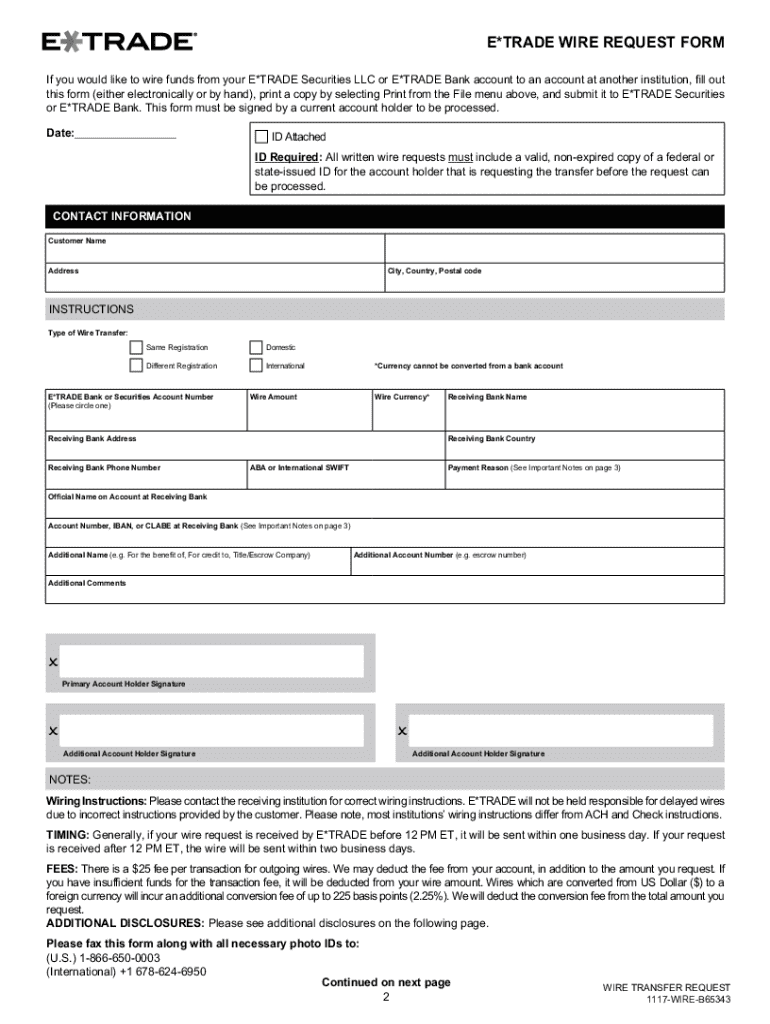
How to use or fill out COMPLETE YOUR E*TRADE WIRE REQUEST FORM IN FOUR EASY

- Scroll down and fill out each field by typing in the appropriate information. If you prefer to complete the request by hand, you can skip this step.
- Once you have provided the requested information, review your request to ensure it is complete. Print it by clicking the print button on the top toolbar.
- Make a photocopy of a government-issued photo ID for the account holder requesting the transfer.
- Sign and date your request form and submit it along with the copy of your photo ID to the appropriate address provided for E*TRADE Securities or E*TRADE Bank.
Start using our platform today to easily complete your E*TRADE Wire Request Form for free!
Fill out COMPLETE YOUR E*TRADE WIRE REQUEST FORM IN FOUR EASY online
It's free
It's free
Security and compliance
At DocHub, your data security is our priority. We follow HIPAA, SOC2, GDPR, and other standards, so you can work on your documents with confidence.
Learn more


