




Here's how it works



How to use or fill out Beverly Hills Institute for Cardiology & Preventive Medicine

- Click ‘Get Form’ to open it in the editor.
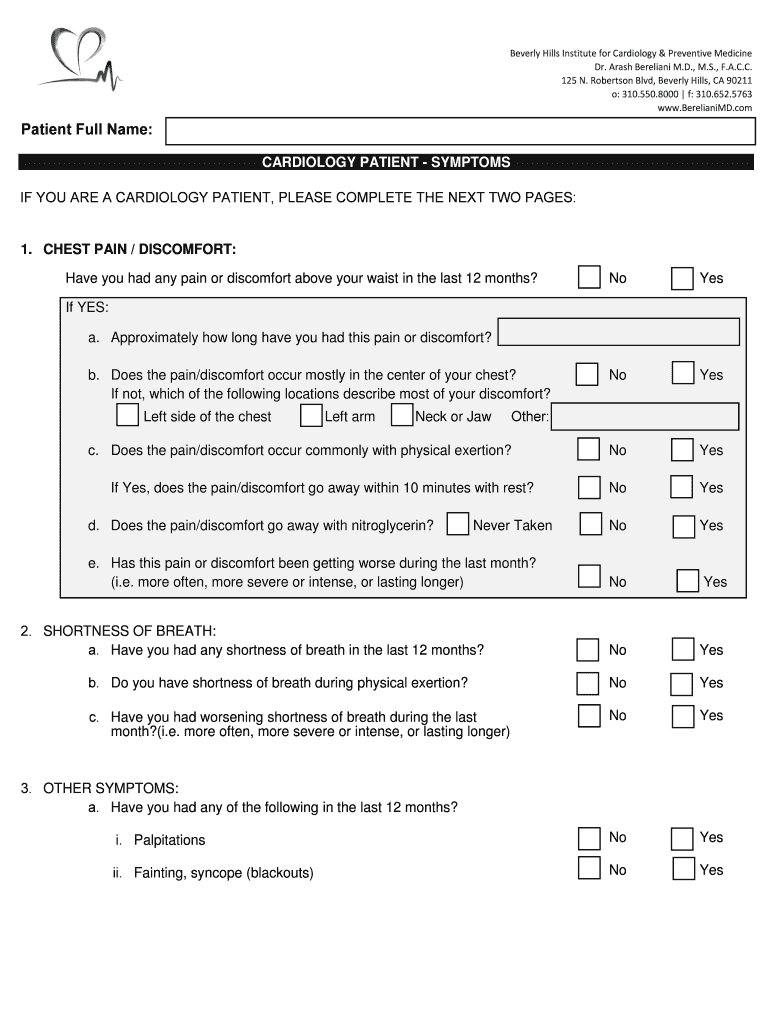
- Begin by entering your full name in the designated field at the top of the form.
- Proceed to the 'Cardiology Patient - Symptoms' section. Answer each question regarding chest pain and shortness of breath by selecting 'Yes' or 'No'.
- For any symptoms marked as 'Yes', provide additional details as prompted, such as duration and location of discomfort.
- Move on to the 'Cardiology Patient - History' section. Indicate any past heart-related issues by checking the appropriate boxes and providing dates where applicable.
- In the 'Cardiology Patient - Concerns' section, share your main concerns about heart health and indicate if you are interested in advanced preventative testing.
Start filling out your form today for free using our platform!
It's free
Got questions?
How do I sign my Beverly Hills Institute for Cardiology & Preventive Medicine for free?
Most eSignature solutions require users to have a paid subscription. With DocHub, there are two options for you to create an electronic signature to your Beverly Hills Institute for Cardiology & Preventive Medicine free of charge:
- You can do it during a 7-day trial period;
- You can subscribe to a free plan.
The second option, however, has limitations on the number of signatures, sign requests, emails, and documents for adjusting available per month. You can check for full information here.
Do I need to set up software to edit my Beverly Hills Institute for Cardiology & Preventive Medicine?
If you edit your Beverly Hills Institute for Cardiology & Preventive Medicine with DocHub, you merely require a steady internet connection and virtually any browser installed on your device. No need to set up any third-party applications or study guides. Just open a tab with DocHub, drag and drop your file, and edit it on the spot.
Security and compliance
At DocHub, your data security is our priority. We follow HIPAA, SOC2, GDPR, and other standards, so you can work on your documents with confidence.
Learn more


