Type text, add images, blackout confidential details, add comments, highlights and more.
02. Sign it in a few clicks
Draw your signature, type it, upload its image, or use your mobile device as a signature pad.
03. Share your form with others
Send it via email, link, or fax. You can also download it, export it or print it out.
How to use or fill out ca therapies with our platform
Ease of Setup
DocHub User Ratings on G2
Ease of Use
DocHub User Ratings on G2
Click ‘Get Form’ to open the ca therapies document in the editor.
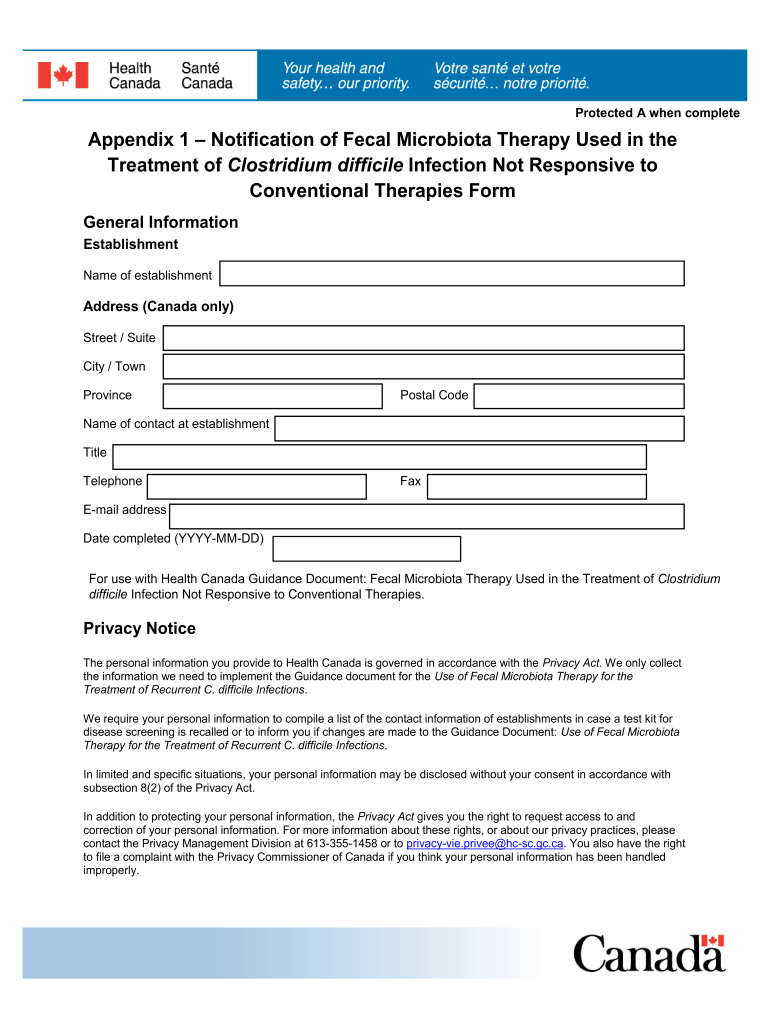
Begin by entering the name of your establishment in the designated field. Ensure that this is accurate as it will be used for official correspondence.
Fill in the address section, including street/suite, city/town, province, and postal code. This information is crucial for identification and communication purposes.
Provide the name and title of the contact person at your establishment. This ensures that Health Canada can reach out if necessary.
Enter the telephone number, fax number, and email address for further communication. Double-check these details for accuracy.
Finally, complete the date field using the format YYYY-MM-DD to indicate when you filled out the form.
Start using our platform today to streamline your form completion process for free!
Cam therapiesTargeted therapy drugs listTargeted therapy side effectsCAM therapy examplesTargeted therapy success rateWhat is alternative therapiesTargeted therapy costAlternative therapies list
Security and compliance
At DocHub, your data security is our priority. We follow HIPAA, SOC2, GDPR, and other standards, so you can work on your documents with confidence.
There is an urgent need for innovative therapies that are both safe and precise. In this project, we aim to develop a Programmable Probiotic System forRead more
Cookie consent notice
This site uses cookies to enhance site navigation and personalize your experience.
By using this site you agree to our use of cookies as described in our Privacy Notice.
You can modify your selections by visiting our Cookie and Advertising Notice.