




Here's how it works



How to use or fill out Virginia Association of Realtors Residential Lease with our platform

- Click ‘Get Form’ to open the Virginia Association of Realtors Residential Lease in the editor.
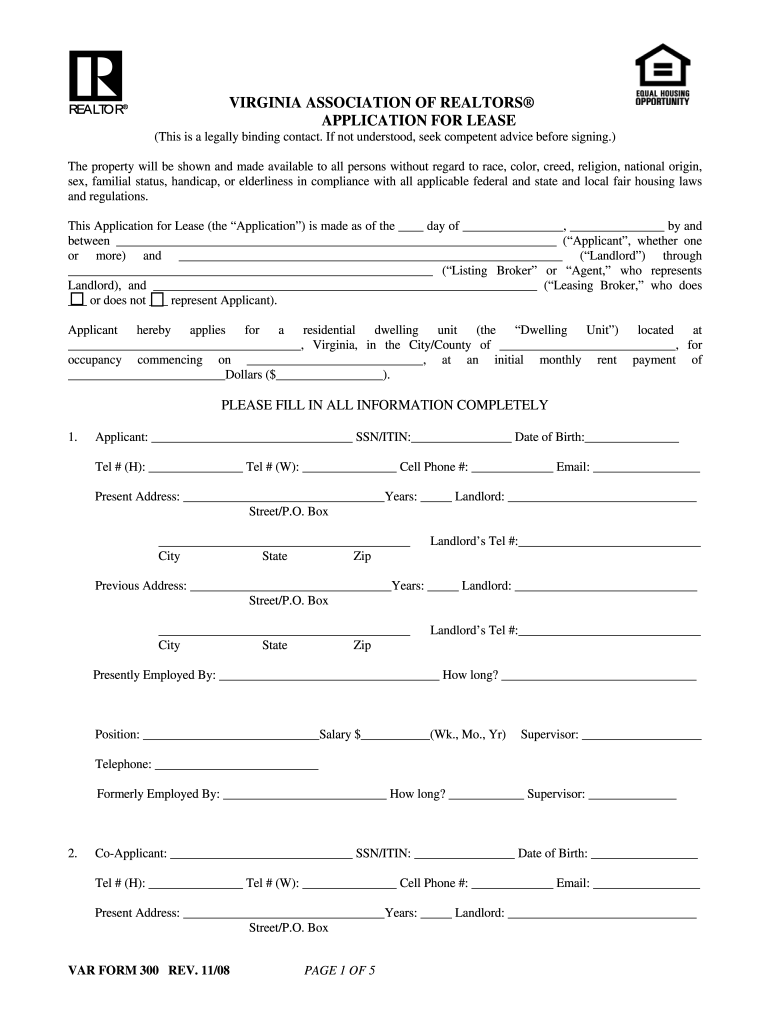
- Begin by filling in the date and your name as the Applicant, along with your Social Security Number or ITIN, date of birth, and contact information. Ensure all fields are completed accurately.
- Provide your current and previous addresses, including landlord details for both. This section is crucial for verifying your rental history.
- If applicable, include information about a Co-Applicant by repeating the same steps as above for their details.
- List any other occupants and their relationships to you. This helps clarify who will be living in the dwelling unit.
- Indicate the number of vehicles and provide details about any pets you plan to bring, including type and identification tags.
- Complete sections regarding employment history, income sources, debts, and emergency contacts. This information is vital for financial assessments.
- Review all provided information for accuracy before signing at the end of the document. Your signature confirms that all details are correct.
Start using our platform today to fill out your Virginia Association of Realtors Residential Lease easily and for free!
It's free
Got questions?
How can I sign my virginia association of realtors residential lease without printing?
Electronic signatures are a perfect replacement for traditional signing, as they save time, effort, and costs people spend on printing, scanning, and paper delivery. You can eSign your virginia association of realtors residential lease using a reliable and robust online document processing services like DocHub. It complies with major eSignature policies (ESIGN and UETA), so all forms approved there are legally binding and have the same validity as manually signed ones.
Can I sign my virginia association of realtors forms while I edit it?
When you edit your virginia association of realtors forms with DocHub, you will not need to look for other software or solutions to eSign it. An electronic signature is part of DocHub’s comprehensive editing toolset, which enables you to apply changes in your form without switching between platforms. Just complete your form, double-check the correctness of your information and place your electronic signature at the end to make it submission-ready in minutes.
Security and compliance
At DocHub, your data security is our priority. We follow HIPAA, SOC2, GDPR, and other standards, so you can work on your documents with confidence.
Learn more


