




Here's how it works

01. Edit your preliminary notice online
Type text, add images, blackout confidential details, add comments, highlights and more.

02. Sign it in a few clicks
Draw your signature, type it, upload its image, or use your mobile device as a signature pad.

03. Share your form with others
Send california preliminary notice template via email, link, or fax. You can also download it, export it or print it out.
How to use or fill out California 20 Day Notice with DocHub

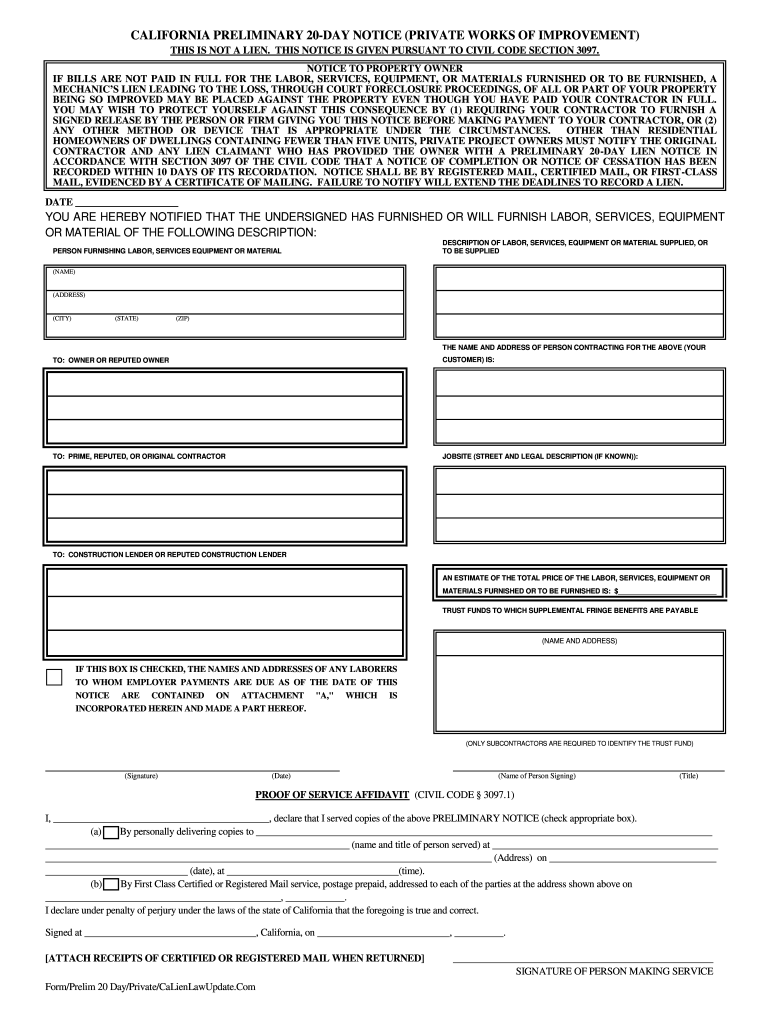
- Click ‘Get Form’ to open the California 20 Day Notice in our editor.
- Begin by filling in the 'TO' sections. Enter the names and addresses of the construction lender, public agency, original contractor, and any other relevant parties. Ensure accuracy to avoid delays.
- In the 'General description of the labor, service, equipment, or materials furnished' section, provide a clear and concise description along with an estimated total price. This is crucial for clarity.
- Complete the 'NAME AND ADDRESS OF CLAIMANT GIVING THIS NOTICE' section with your details. This identifies who is issuing the notice.
- Review the 'NOTICE TO PROPERTY OWNER' carefully. It outlines important information regarding potential liens and payment responsibilities.
- Fill in any additional required fields such as job site identification and signature. Make sure all information is accurate before finalizing.
Start using our platform today to easily complete your California 20 Day Notice for free!
Fill out california 20 day notice online
It's free
It's free
Security and compliance
At DocHub, your data security is our priority. We follow HIPAA, SOC2, GDPR, and other standards, so you can work on your documents with confidence.
Learn more


