




Here's how it works

01. Edit your consent form for outing online
Type text, add images, blackout confidential details, add comments, highlights and more.

02. Sign it in a few clicks
Draw your signature, type it, upload its image, or use your mobile device as a signature pad.

03. Share your form with others
Send consent form for trip via email, link, or fax. You can also download it, export it or print it out.
How to use or fill out Parental Field Trip Consent Form with DocHub

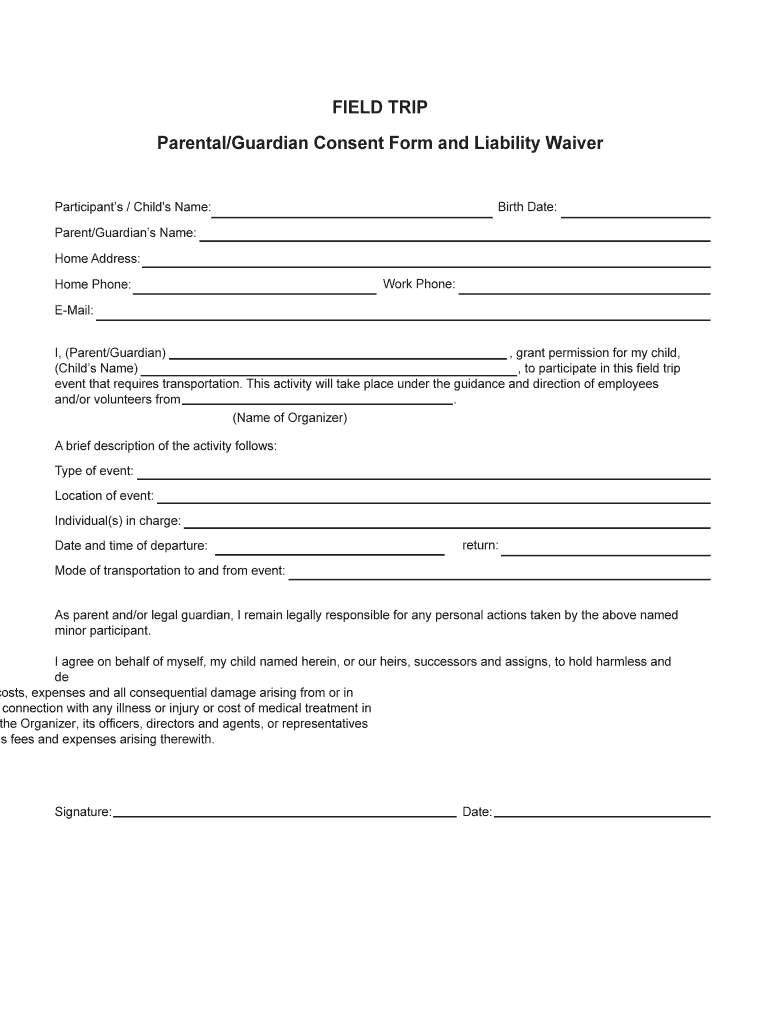
- Click ‘Get Form’ to open the Parental Field Trip Consent Form in our editor.
- Begin by entering your child's name and birth date in the designated fields. This information is crucial for identifying the participant.
- Fill in your name as the parent or guardian, along with your home address, phone numbers, and email. Ensure all contact details are accurate for any necessary communication.
- Grant permission for your child to participate by clearly stating their name again in the provided section. Specify the event's type, location, and individuals in charge.
- Indicate the date and time of departure and return, as well as the mode of transportation. This helps ensure proper arrangements are made.
- Review and complete the medical matters section, providing any relevant health information about your child that may be necessary during the trip.
- Finally, sign and date the form at the bottom to confirm your consent and understanding of responsibilities.
Start using our platform today to easily fill out and manage your Parental Field Trip Consent Form for free!
Fill out Parental Field Trip Consent Form online
It's free
It's free
Security and compliance
At DocHub, your data security is our priority. We follow HIPAA, SOC2, GDPR, and other standards, so you can work on your documents with confidence.
Learn more


