




Here's how it works

01. Edit your emancipated minor online
Type text, add images, blackout confidential details, add comments, highlights and more.

02. Sign it in a few clicks
Draw your signature, type it, upload its image, or use your mobile device as a signature pad.

03. Share your form with others
Send emancipated minor examples via email, link, or fax. You can also download it, export it or print it out.
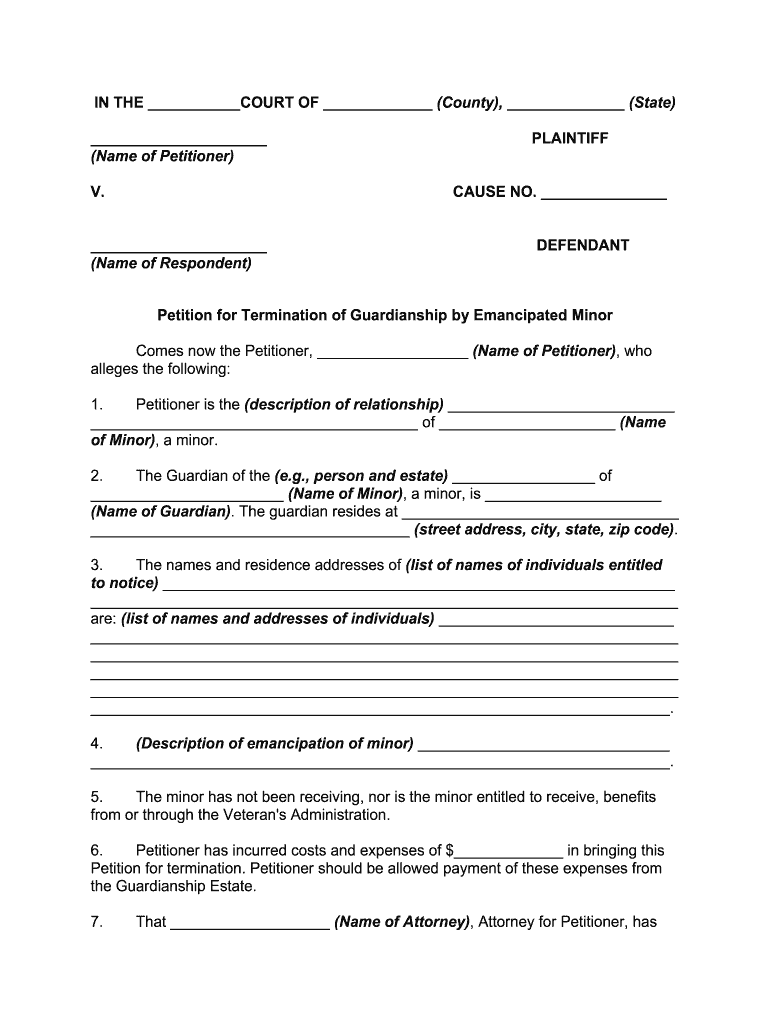
How to use or fill out emancipated with our platform

- Click ‘Get Form’ to open the emancipated document in the editor.
- Begin by entering the name of the Petitioner and Respondent in the designated fields. Ensure that you accurately fill in the county and state information.
- In section 1, describe your relationship to the minor clearly. This establishes your standing in the petition.
- Provide details about the Guardian, including their name and address, in section 2. This is crucial for notifying relevant parties.
- List individuals entitled to notice in section 3, ensuring all names and addresses are complete for proper notification.
- In section 4, describe the circumstances of emancipation. Be thorough to support your case effectively.
- Fill out any costs incurred as stated in section 6, which may be reimbursed from the Guardianship Estate.
- Finally, review all entries for accuracy before signing at the bottom of the form. Ensure that both you and your attorney sign where indicated.
Start using our platform today to streamline your document editing and ensure a smooth completion of your emancipated petition!
Fill out emancipated online
It's free
It's free
Security and compliance
At DocHub, your data security is our priority. We follow HIPAA, SOC2, GDPR, and other standards, so you can work on your documents with confidence.
Learn more


