01. Edit your n400 additional sheets sample online
Type text, add images, blackout confidential details, add comments, highlights and more.
02. Sign it in a few clicks
Draw your signature, type it, upload its image, or use your mobile device as a signature pad.
03. Share your form with others
Send n 400 form pdf via email, link, or fax. You can also download it, export it or print it out.
How to use or fill out n 400 addendum with our platform
Ease of Setup
DocHub User Ratings on G2
Ease of Use
DocHub User Ratings on G2
Click ‘Get Form’ to open the n 400 addendum in the editor.
Begin by entering your name at the top of the form. This personalizes your document and ensures it is correctly attributed to you.
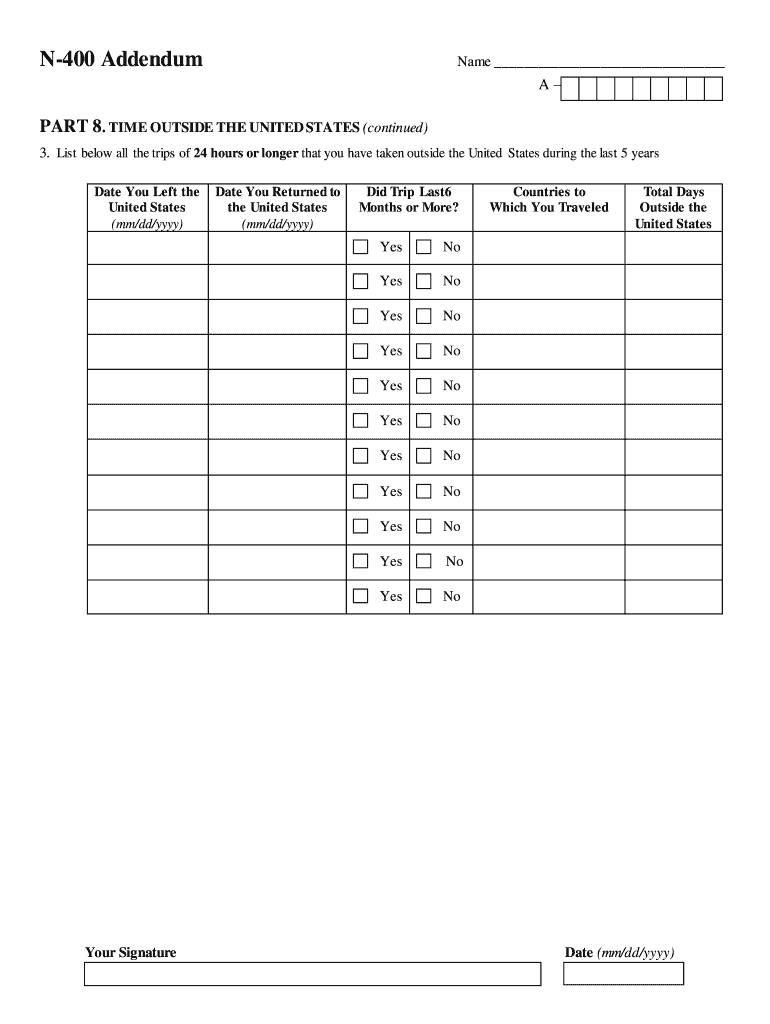
Navigate to PART 8, which focuses on your time outside the United States. Here, you will need to list all trips lasting 24 hours or longer taken in the last five years.
For each trip, fill in the 'Date You Left the United States' and 'Date You Returned to the United States' using the format mm/dd/yyyy.
Indicate whether each trip lasted six months or more by selecting 'Yes' or 'No' for each entry.
List the countries you traveled to during each trip and specify the total days spent outside of the United States.
Start filling out your n 400 addendum today for free using our platform!
Mar 16, 2026 Naturalization is the process of becoming a US citizen if you were born outside of the United States. Use this form to apply for naturalization.Read more
Mar 21, 2025 This addendum forms a part of the Contract Documents and modifies the original Project. Manual and Drawings. Acknowledge receipt of thisRead more
Cookie consent notice
This site uses cookies to enhance site navigation and personalize your experience.
By using this site you agree to our use of cookies as described in our Privacy Notice.
You can modify your selections by visiting our Cookie and Advertising Notice.