How to form 6d 2026

Get Form
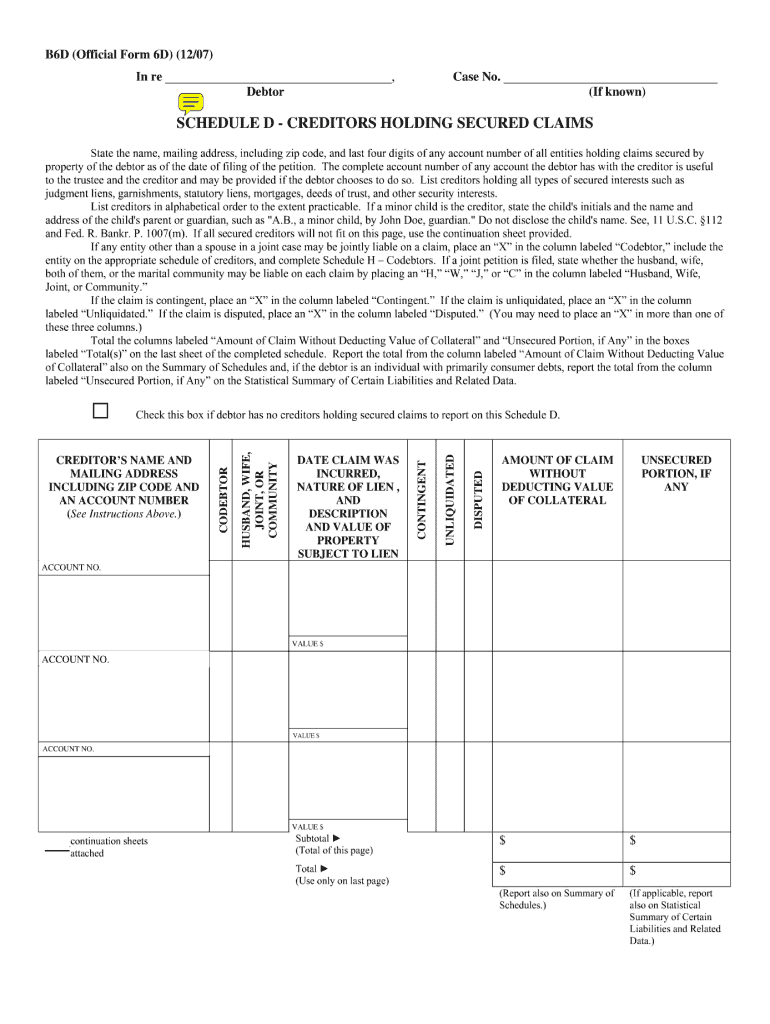
official form 6d Preview on Page 1

Here's how it works

01. Edit your official form 6d online
Type text, add images, blackout confidential details, add comments, highlights and more.
02. Sign it in a few clicks
Draw your signature, type it, upload its image, or use your mobile device as a signature pad.
03. Share your form with others
Send what form 6 ds 260 via email, link, or fax. You can also download it, export it or print it out.

How to use or fill out how to form 6d with our platform

Form edit decoration
9.5
Ease of Setup
DocHub User Ratings on G2
9.0
Ease of Use
DocHub User Ratings on G2
  1. Click ‘Get Form’ to open it in the editor.
  2. Begin by entering your personal information in the designated fields. Ensure that your name, address, and contact details are accurate for seamless processing.
  3. Next, navigate to the section requiring specific data related to your application. Carefully read each prompt and provide the necessary information as requested.
  4. If there are checkboxes or multiple-choice questions, select the options that apply to you. This will help clarify your responses and streamline the review process.
  5. Review all entered information for accuracy before submitting. Use our platform’s editing tools to make any necessary adjustments easily.

Start using our platform today for free and simplify your document management!

See more how to form 6d versions

We've got more versions of the how to form 6d form. Select the right how to form 6d version from the list and start editing it straight away!
Versions Form popularity Fillable & printable
2022 4.8 Satisfied (191 Votes)
2022 4.8 Satisfied (88 Votes)
2021 4.8 Satisfied (121 Votes)
2020 4.9 Satisfied (47 Votes)
2020 4.4 Satisfied (41 Votes)
2020 4.2 Satisfied (57 Votes)
2020 4.7 Satisfied (53 Votes)
2019 4.9 Satisfied (29 Votes)
2018 4.2 Satisfied (65 Votes)
2017 4.2 Satisfied (26 Votes)
2016 4.8 Satisfied (212 Votes)
2016 4.6 Satisfied (53 Votes)
2016 4.8 Satisfied (236 Votes)
2016 4.9 Satisfied (53 Votes)
2016 4.6 Satisfied (22 Votes)
be ready to get more

Complete this form in 5 minutes or less

Get form

Got questions?

We have answers to the most popular questions from our customers. If you can't find an answer to your question, please contact us.
Contact us
A 6D Certificate is a legal document that certifies a condo unit has no outstanding fees, assessments, or charges due to the condominium association at the time of sale. In Massachusetts, the 6D certificate is required by law when selling a condo and is typically provided by the condominium association to the seller.
0:11 1:18 And its going to be on the very first setting of the wrench. Go all way down format. Card. And thenMoreAnd its going to be on the very first setting of the wrench. Go all way down format. Card. And then youre going to push. Okay make sure whatever you want to be on the card.
Sixpence (British coin), often shortened to 6d.
Information Set the power switch to . Press the button to bring up the menu. Press the to select [ ]. Select [Format], then press the button. Select [OK], then press the button.
To obtain a 6d certificate in Boston or elsewhere in Massachusetts, the unit owner needs to submit a written request to the condo association. The association is legally obligated to provide the certificate within 10 business days of the request.

Security and compliance

At DocHub, your data security is our priority. We follow HIPAA, SOC2, GDPR, and other standards, so you can work on your documents with confidence.

Learn more
ccpa2
pci-dss
gdpr-compliance
hipaa
soc-compliance

People also ask

How Do I Format the Card? (EOS 6D) Set the power switch to . Press the button to bring up the menu. Press the to select [ ]. Select [Format], then press the button. Select [OK], then press the button.

creditor's claim form