Type text, add images, blackout confidential details, add comments, highlights and more.
02. Sign it in a few clicks
Draw your signature, type it, upload its image, or use your mobile device as a signature pad.
03. Share your form with others
Send application for permanent registration abkc via email, link, or fax. You can also download it, export it or print it out.
How to use or fill out abkc registration with our platform
Ease of Setup
DocHub User Ratings on G2
Ease of Use
DocHub User Ratings on G2
Click ‘Get Form’ to open the ABKC registration in the editor.
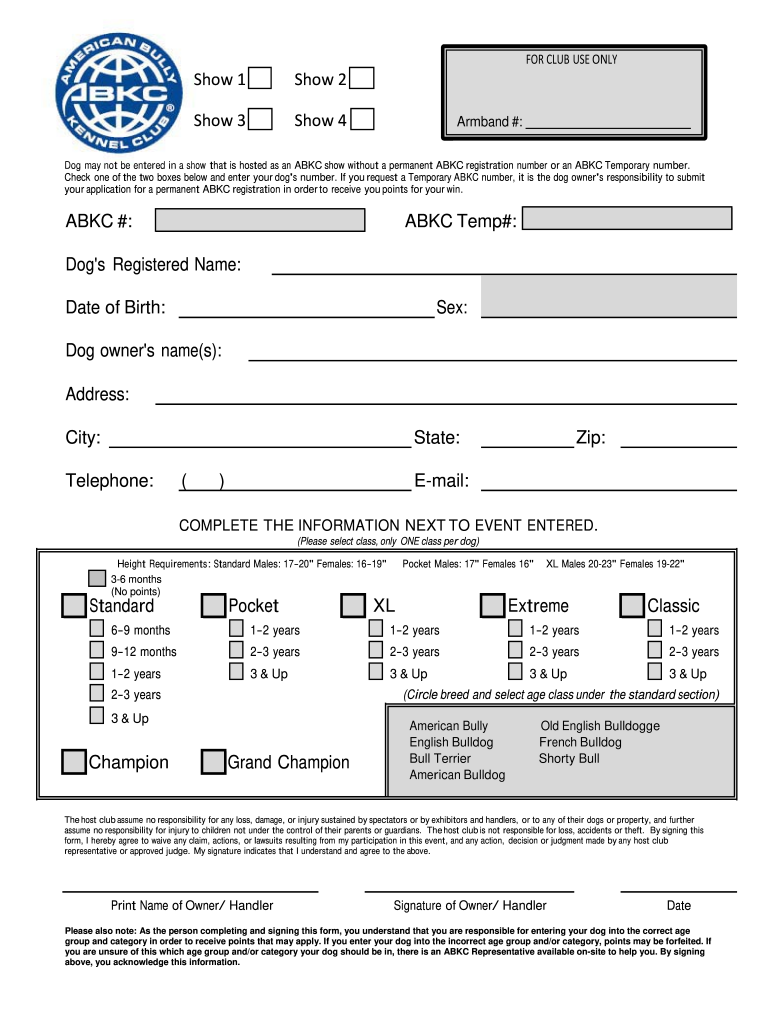
Begin by entering your dog's registered name and date of birth. Ensure accuracy as this information is crucial for identification.
Select the sex of your dog from the provided options. This helps categorize your entry correctly.
Fill in the dog owner's name(s), address, city, state, telephone number, and email. This contact information is essential for communication regarding your registration.
Complete the section next to 'Event Entered' by selecting only one class per dog based on their height and age group. Make sure to circle the breed and select the appropriate age class under the standard section.
Review all entered information for accuracy before signing. Your signature indicates agreement with the terms outlined in the form.
Start using our platform today to streamline your ABKC registration process for free!
This form and the documentary evidence is mailed immediately ! to W aco, where goes to the registration office, which check? the documentary evi dence toRead more
Cookie consent notice
This site uses cookies to enhance site navigation and personalize your experience.
By using this site you agree to our use of cookies as described in our Privacy Notice.
You can modify your selections by visiting our Cookie and Advertising Notice.