Type text, add images, blackout confidential details, add comments, highlights and more.
02. Sign it in a few clicks
Draw your signature, type it, upload its image, or use your mobile device as a signature pad.
03. Share your form with others
Send form self attested via email, link, or fax. You can also download it, export it or print it out.
How to use or fill out the attest form for transportation reimbursement
Ease of Setup
DocHub User Ratings on G2
Ease of Use
DocHub User Ratings on G2
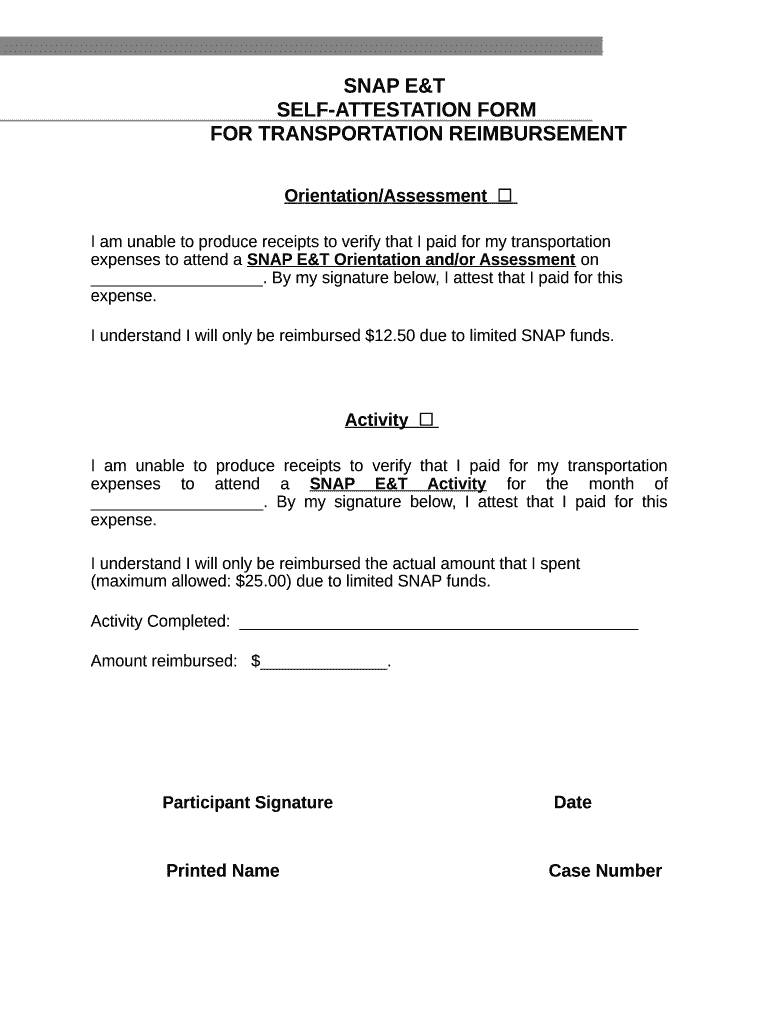
Click ‘Get Form’ to open the attest form in our editor.
Begin with the 'Orientation/Assessment' section. Indicate the date of your SNAP E&T Orientation and/or Assessment by filling in the blank space provided.
Next, sign your name in the 'Participant Signature' field to confirm that you are attesting to your transportation expenses.
Proceed to the 'Activity' section. Fill in the month for which you are claiming transportation reimbursement and provide details about the activity completed.
In this section, also enter the actual amount spent on transportation in the 'Amount reimbursed' field, ensuring it does not exceed $25.00.
Finally, complete any remaining fields such as your printed name, case number, and case manager's information before submitting your form.
Start using our platform today to easily fill out and submit your attest form for free!
Attest form templateAttest form pdfFree attest formAttest form californiaRBT attestation formBlank attestation formAttestation form for medical recordsRBT Attestation Form 2026
Security and compliance
At DocHub, your data security is our priority. We follow HIPAA, SOC2, GDPR, and other standards, so you can work on your documents with confidence.
To send an acknowledgement request, you can click the action dropdown menu in the article and select Request Acknowledgement. This will show the followingRead more
Cookie consent notice
This site uses cookies to enhance site navigation and personalize your experience.
By using this site you agree to our use of cookies as described in our Privacy Notice.
You can modify your selections by visiting our Cookie and Advertising Notice.