Printable answer sheet 1 100 2026

Get Form
free printable answer sheets Preview on Page 1

Here's how it works

01. Edit your free printable answer sheets online
Type text, add images, blackout confidential details, add comments, highlights and more.

02. Sign it in a few clicks
Draw your signature, type it, upload its image, or use your mobile device as a signature pad.

03. Share your form with others
Send free printable answer sheet 1 100 via email, link, or fax. You can also download it, export it or print it out.

How to use or fill out printable answer sheet 1 100 with our platform

Form edit decoration
9.5
Ease of Setup
DocHub User Ratings on G2
9.0
Ease of Use
DocHub User Ratings on G2
  1. Click ‘Get Form’ to open the printable answer sheet in the editor.
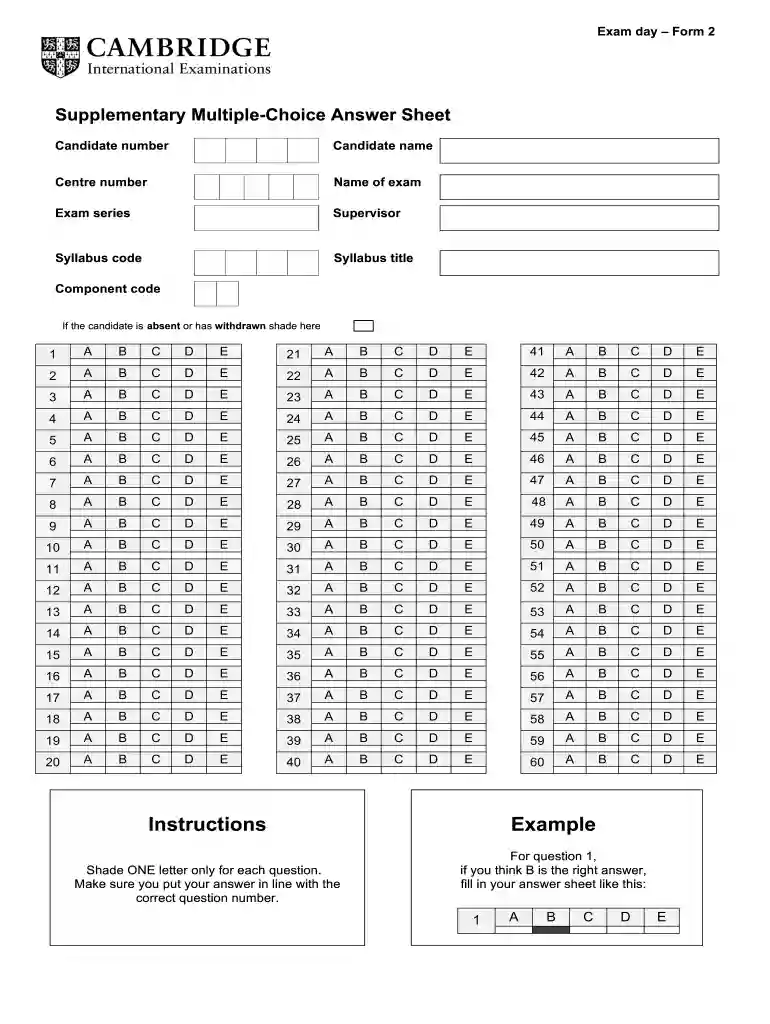
  2. Begin by entering your candidate number, name, centre number, and exam details in the designated fields at the top of the form.
  3. For each question, locate the corresponding number on the answer sheet. Shade ONE letter only (A, B, C, D, or E) that represents your answer. Ensure that your shading aligns perfectly with the question number.
  4. If you are absent or have withdrawn from the exam, make sure to shade the appropriate section as indicated on the form.
  5. Once completed, review your answers for accuracy before saving or printing your filled-out answer sheet directly from our platform.

Start using our platform today for free to streamline your document editing and form completion!

be ready to get more

Complete this form in 5 minutes or less

Get form

Got questions?

We have answers to the most popular questions from our customers. If you can't find an answer to your question, please contact us.
Contact us

Signing paperwork on a mobile device is quick, easy, and doesn’t require software installation if you have an account with DocHub. Log in from any browser, complete your empty fields with your data, and click on Sign → Create your signature. You can draw your electronic signature the same way you usually do on paper, add its image to your printable answer sheets, or type in your name and stylize its look. Whatever option you choose, your form will be valid.

If you choose analog methods of completing your 100 question answer sheet pdf, you can easily download your file for printing. Search DocHub’s Forms & Templates catalog to locate the exact document template you require and open it for editing or download it on your gadget in the format of your choice. It is possible to complete your form electronically and put your handwritten signature on it right after printing or eSign your document with DocHub.

Instruction for filling the OMR Sheets Use black or blue ball point pens, and avoid gel pens and fountain pens for filling the sheets. Darken the bubbles completely. Dont put a tick mark or a cross mark where it is specified that you fill the bubbles completely.
0:49 4:22 Um if you mark. You know two answers in one row lets say youre torn. Between oh is it B or is it CMoreUm if you mark. You know two answers in one row lets say youre torn. Between oh is it B or is it C Um make sure you only mark one on your answer document.
Printing Bubble Sheets There is a limit of 40 questions that can fit on any given bubble sheet.

Security and compliance

At DocHub, your data security is our priority. We follow HIPAA, SOC2, GDPR, and other standards, so you can work on your documents with confidence.

Learn more
ccpa2
pci-dss
gdpr-compliance
hipaa
soc-compliance
be ready to get more

Complete this form in 5 minutes or less

Get form

People also ask

ZipGrade Answer Sheets Answer sheets are available in multiple sizes and formats to meet different teacher needs. For general use, use the PDF version. The PNG versions are useful for customizing or importing into other documents. For best scanning results, print on standard white copier paper.
Noun. (education) A sheet of paper supplemental to an assessment onto which the answers to the questions must be written. You must write your name at the top of each answer sheet. Synonym of cheat sheet.
Write Brief, To-the-point Answers Do not write inappropriate answers that are not related to the question. Use proper spaces between the words. Make diagrams, and tables to explain the long answer-type questions. Dont use colourful pens, or highlighters to beautify your answer sheet.
General guidelines Write in clear print. Messy handwriting will not be legible. Use a dark pencil. You do not need to use a #2 pencil. Fill in bubbles fully. Completely erase mistake answers and stray marks. Crossing out a mistake will not cause it to be ignored when scanned.
0:03 0:54 And one for reading. Here you will write your full name in capital letters as per your identityMoreAnd one for reading. Here you will write your full name in capital letters as per your identity document. You can refer to desk label for writing your candidate and center number in these boxes.

free printable answer sheet 1 100 pdf