




Here's how it works
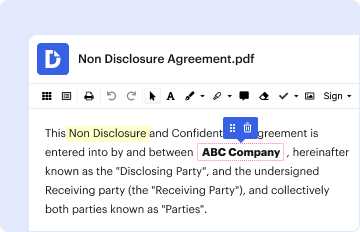
01. Edit your rci membership without timeshare online
Type text, add images, blackout confidential details, add comments, highlights and more.
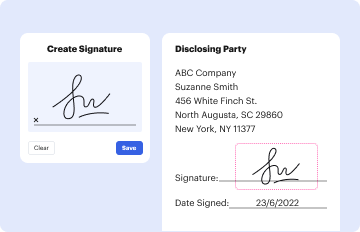
02. Sign it in a few clicks
Draw your signature, type it, upload its image, or use your mobile device as a signature pad.

03. Share your form with others
Send rci membership via email, link, or fax. You can also download it, export it or print it out.
How to use or fill out RCI Form Membership with our platform

- Click ‘Get Form’ to open the RCI Membership Transfer Application in the editor.
- In the 'Transferor(s)' section, enter the names and contact information of individuals who sold or transferred timeshare interests. Ensure both signatures are provided if applicable.
- Complete the 'Transferee(s)' section with the names and details of those receiving the timeshare interest. Remember, only two names can be listed due to system limitations.
- In the 'Timeshare(s) TRANSFERRED' section, list all relevant timeshare units/weeks, including unit type, maximum occupancy, week number, and seasonal designation.
- Indicate any pending activity in the 'Pending Activity' section if you wish to retain or transfer deposited vacation time or exchange activities.
- Review your selections in the 'Ownership Information' section and check appropriate boxes based on retained privileges or transfer intentions.
- Finally, ensure that all required signatures are completed in the 'Authorization' section before submitting your application.
Start using our platform today for free to streamline your RCI membership transfer process!
Fill out rci form membership online
It's free
It's free
Security and compliance
At DocHub, your data security is our priority. We follow HIPAA, SOC2, GDPR, and other standards, so you can work on your documents with confidence.
Learn more


