Type text, add images, blackout confidential details, add comments, highlights and more.
02. Sign it in a few clicks
Draw your signature, type it, upload its image, or use your mobile device as a signature pad.
03. Share your form with others
Send dbq migraines via email, link, or fax. You can also download it, export it or print it out.
How to use or fill out dbq for migraines with our platform
Ease of Setup
DocHub User Ratings on G2
Ease of Use
DocHub User Ratings on G2
Click ‘Get Form’ to open the dbq for migraines in the editor.
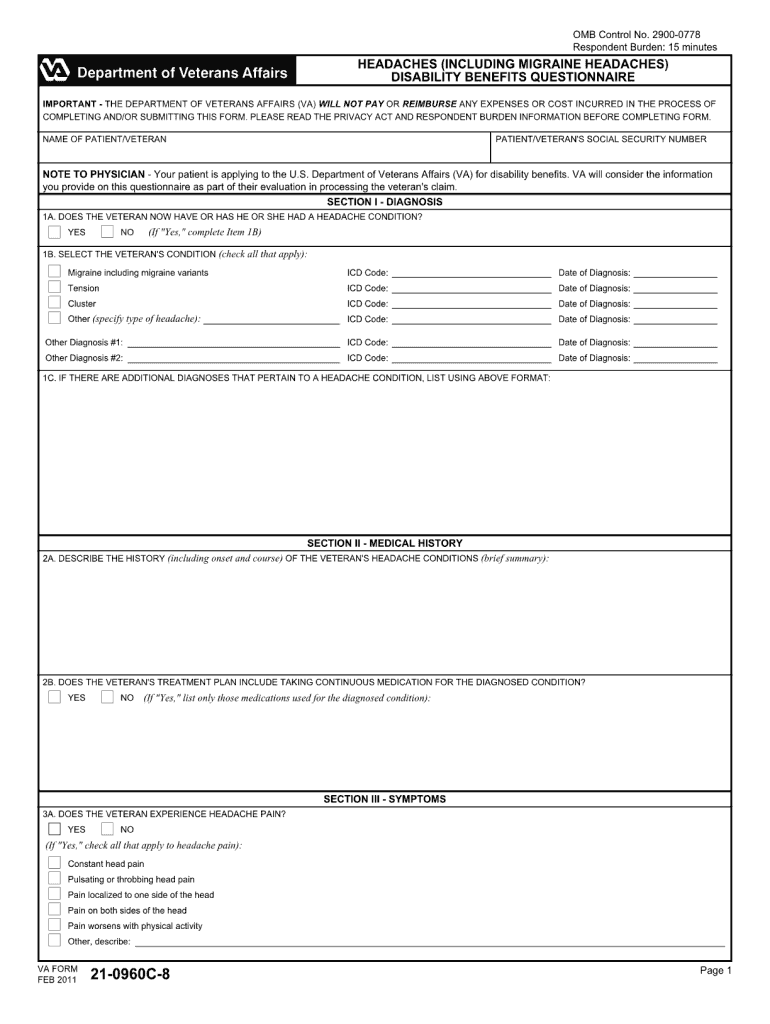
Begin by entering your personal information in the designated fields, including your name, date of birth, and contact details. This ensures that your form is accurately attributed to you.
Next, navigate to the section regarding your medical history. Here, provide detailed information about your migraine episodes, including frequency, duration, and any triggers you may have identified.
In the symptoms section, check all applicable boxes that describe your experience during a migraine attack. This helps healthcare providers understand the severity and impact of your condition.
Finally, review all entered information for accuracy before submitting. Utilize our platform’s editing tools to make any necessary adjustments easily.
Start using our platform today to fill out your dbq for migraines online for free!
DBQ for migraines secondary to tinnitusVA DBQ forms PDFVA Migraine DBQ redditVA migraine rating criteriaDBQ hypertensionList of VA DBQ formsHow do I get 50% VA disability for migrainesVA DBQ for depression and anxiety
Security and compliance
At DocHub, your data security is our priority. We follow HIPAA, SOC2, GDPR, and other standards, so you can work on your documents with confidence.
38 CFR 4.124a - neurological conditions and convulsive
Purely subjective complaints such as headache, dizziness, tinnitus, insomnia and irritability, recognized as symptomatic of a properly diagnosed cerebralRead more
Cookie consent notice
This site uses cookies to enhance site navigation and personalize your experience.
By using this site you agree to our use of cookies as described in our Privacy Notice.
You can modify your selections by visiting our Cookie and Advertising Notice.