




Here's how it works



How to use or fill out ahrr form pdf with our platform

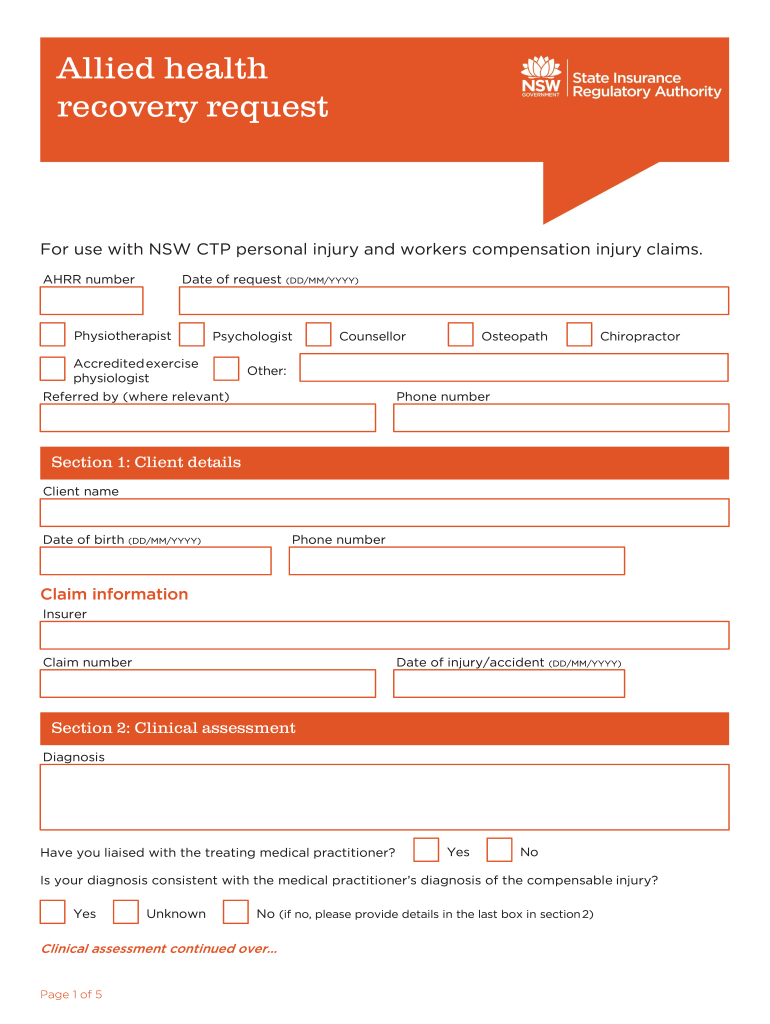
- Click ‘Get Form’ to open the ahrr form PDF in the editor.
- Begin by filling out Section 1: Client details. Enter the client's name, phone number, date of birth, insurer information, and claim number.
- Proceed to Section 2: Clinical assessment. Document the diagnosis and indicate if you have liaised with the treating medical practitioner. Provide current signs and symptoms as well as any relevant pre-existing factors.
- In Section 3: Capacity, describe the client's pre-injury capacity, current capacity, and any factors impacting recovery. Include recommendations for addressing barriers.
- Move to Section 4: Recovery plan. Fill in service commencement dates, session counts, and outline client goals along with steps needed to achieve them.
- Complete Section 5: Services requested by detailing service types, frequency, costs, and rationale for services requested.
- Finally, fill out Section 6: Service provider details and Section 7: Insurer decision before saving or sharing your completed form.
Start using our platform today for free to streamline your ahrr form completion!
It's free
Got questions?
Can I type my electronic signature on my ahrr form?
Sure, a typed name is recognized as a legitimate electronic signature when you create it on your form utilizing a compliant solution like DocHub. Simply import your ahrr form to our editor, click Sign in the top tool pane → Create your signature → Type your name in the appropriate tab, and choose how it will appear on your document.
How do you modify ahrr example from Google Drive?
If you store your papers in Google Drive, there is no need to download your ahrr example on the computer and upload it back to our editor. A much easier way is to install a browser extension developed by DocHub to streamline this flow. The extension allows editing PDFs in your browser. Alternatively, you can integrate your DocHub and Gmail accounts for more efficient editing.
Security and compliance
At DocHub, your data security is our priority. We follow HIPAA, SOC2, GDPR, and other standards, so you can work on your documents with confidence.
Learn more


