




Here's how it works

01. Edit your church visitor form template online
Type text, add images, blackout confidential details, add comments, highlights and more.

02. Sign it in a few clicks
Draw your signature, type it, upload its image, or use your mobile device as a signature pad.

03. Share your form with others
Send church visitor form via email, link, or fax. You can also download it, export it or print it out.
How to use or fill out church visitor form template with our platform

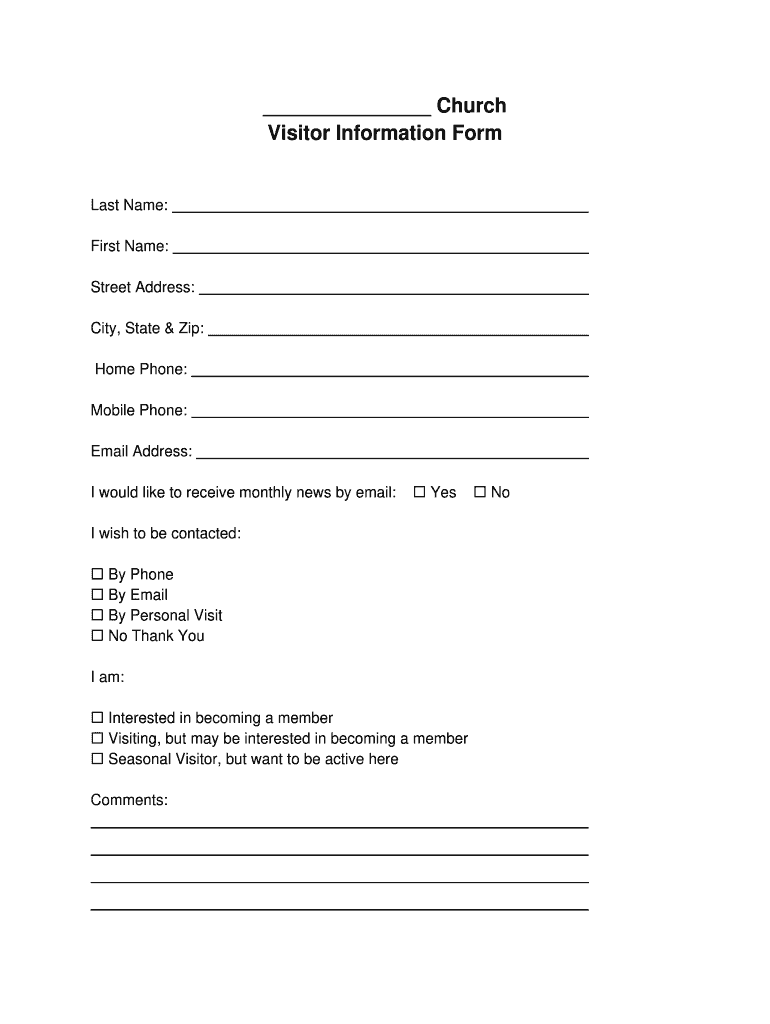
- Click ‘Get Form’ to open the church visitor information form in the editor.
- Begin by entering your Last Name and First Name in the designated fields. This helps us address you properly.
- Fill in your Street Address, City, State & Zip code to ensure we have your correct location for any follow-up communications.
- Provide your Home Phone and Mobile Phone numbers. This allows us to reach you easily if needed.
- Enter your Email Address and indicate if you would like to receive monthly news by email by checking 'Yes' or leaving it unchecked.
- Select how you wish to be contacted by marking one of the options: By Phone, By Email, By Personal Visit, or No Thank You.
- Indicate your interest level regarding membership by selecting one of the options provided.
- Use the Comments section for any additional notes or questions you may have.
Start filling out your church visitor form today for free and experience seamless document management!
Fill out church visitor form template online
It's free
It's free
Security and compliance
At DocHub, your data security is our priority. We follow HIPAA, SOC2, GDPR, and other standards, so you can work on your documents with confidence.
Learn more


