




Here's how it works



How to use or fill out blumberg forms with our platform

- Click ‘Get Form’ to open the blumberg form in the editor.
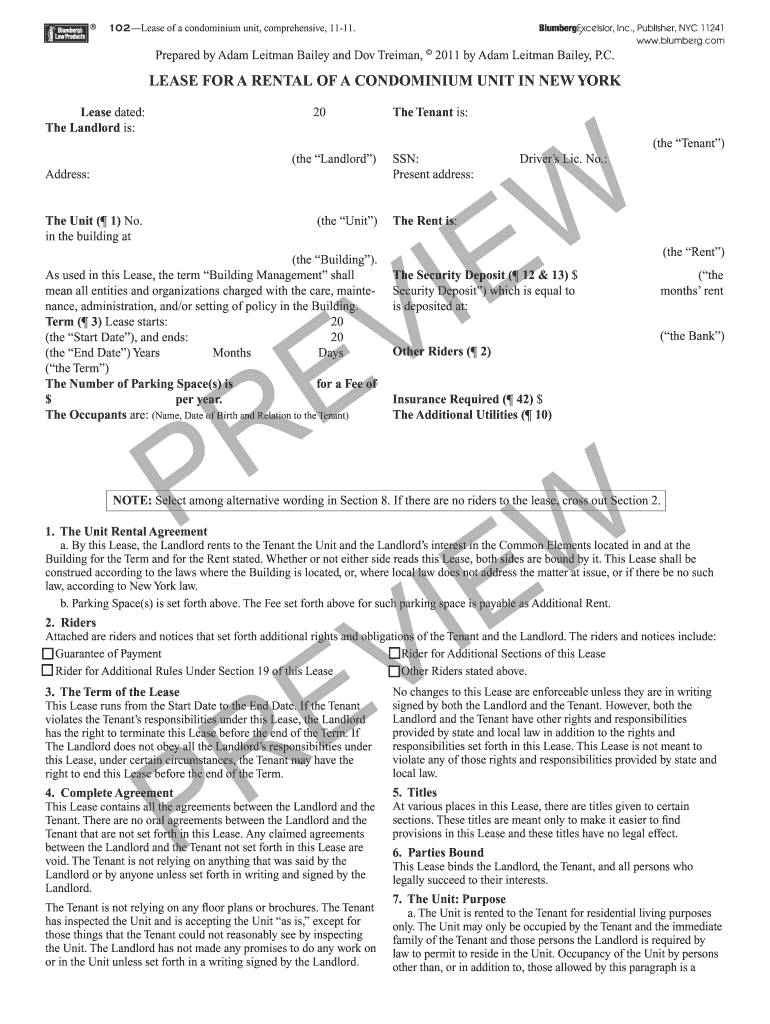
- Begin by entering the lease date at the top of the form. This is crucial for establishing the timeline of your agreement.
- Fill in the names and addresses of both the Landlord and Tenant in their respective fields. Ensure accuracy to avoid any legal complications.
- Specify the unit number and address, as well as the rent amount. This information is essential for clarity on rental obligations.
- Complete sections regarding security deposits, parking spaces, and additional utilities. Be thorough to ensure all terms are understood.
- Review any riders or additional agreements attached to the lease. Make sure to select or cross out options as necessary based on your situation.
- Once all fields are filled, save your changes and proceed to sign electronically if required. Our platform allows for seamless signing directly within the document.
Start using our platform today for free to simplify your blumberg forms completion!
It's free
Got questions?
How do I sign my blumberg forms for free?
Most eSignature solutions require users to have a paid subscription. With DocHub, there are two options for you to create an electronic signature to your blumberg forms at no cost:
- You can do it during a 7-day trial period;
- You can sign up for a free plan.
The second option, though, has limitations on the number of signatures, sign requests, emails, and documents for editing available per month. You can check for full details here.
How do you fill out blumberg legal forms online?
You may find and edit your blumberg legal forms online by using DocHub. Its straightforward but feature-rich design allows you to start productive work immediately after you sign up your account. Create your account and add your file, and then our interface will guide you via our stress-free form completion experience.
Is the Blumberg form X74?
Security and compliance
At DocHub, your data security is our priority. We follow HIPAA, SOC2, GDPR, and other standards, so you can work on your documents with confidence.
Learn more


