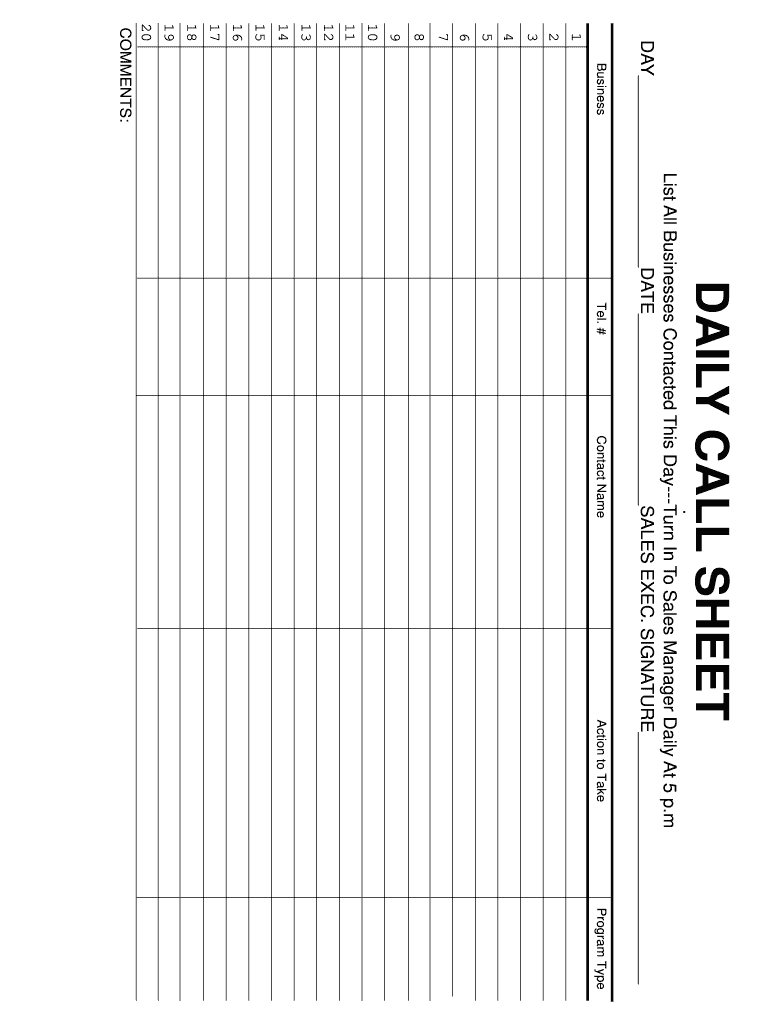
Blank call sheets templates 2026

Get Form
daily call sheet template Preview on Page 1

Here's how it works

01. Edit your daily call sheet template online
Type text, add images, blackout confidential details, add comments, highlights and more.
02. Sign it in a few clicks
Draw your signature, type it, upload its image, or use your mobile device as a signature pad.
03. Share your form with others
Send daily call sheet via email, link, or fax. You can also download it, export it or print it out.

How to use or fill out blank call sheets templates with our platform

Form edit decoration
9.5
Ease of Setup
DocHub User Ratings on G2
9.0
Ease of Use
DocHub User Ratings on G2
  1. Click ‘Get Form’ to open the blank call sheet template in the editor.
  2. Begin by entering your contact information in the 'Tel. #' and 'Contact Name' fields. This ensures that you have all necessary details at hand for effective communication.
  3. In the 'Action to Take' section, specify the actions you plan to undertake during your calls. This helps keep your objectives clear and focused.
  4. Select the appropriate 'Program Type' from the dropdown menu, if available, to categorize your outreach efforts.
  5. List all businesses contacted throughout the day in the designated area. Be sure to include relevant details for each entry.
  6. Fill in the date and day at the top of the form, along with your signature as a sales executive, ensuring accountability.
  7. Utilize the 'COMMENTS' section for any additional notes or observations that may be useful for future reference or reporting.

Start using our platform today to streamline your call sheet process for free!

be ready to get more

Complete this form in 5 minutes or less

Get form

Got questions?

We have answers to the most popular questions from our customers. If you can't find an answer to your question, please contact us.
Contact us

Electronic signatures are a perfect alternative to traditional signing, as they save time, effort, and costs people spend on printing, scanning, and paper delivery. You can electronically sign your daily sales call sheet using a trustworthy and powerful online document management tool like DocHub. It complies with major eSignature regulations (ESIGN and UETA), so all documents approved there are legally binding and have the same validity as manually signed ones.

You may get and edit your sales call sheet pdf online by using DocHub. Its straightforward yet feature-rich design enables you to begin effective work right after you sign up your account. Create your profile and add your file, then our interface will guide you via our stress-free form completion experience.

Security and compliance

At DocHub, your data security is our priority. We follow HIPAA, SOC2, GDPR, and other standards, so you can work on your documents with confidence.

Learn more
ccpa2
pci-dss
gdpr-compliance
hipaa
soc-compliance
be ready to get more

Complete this form in 5 minutes or less

Get form