




Here's how it works

01. Edit your positive covid letter from doctor template online
Type text, add images, blackout confidential details, add comments, highlights and more.

02. Sign it in a few clicks
Draw your signature, type it, upload its image, or use your mobile device as a signature pad.

03. Share your form with others
Send positive covid letter from doctor via email, link, or fax. You can also download it, export it or print it out.
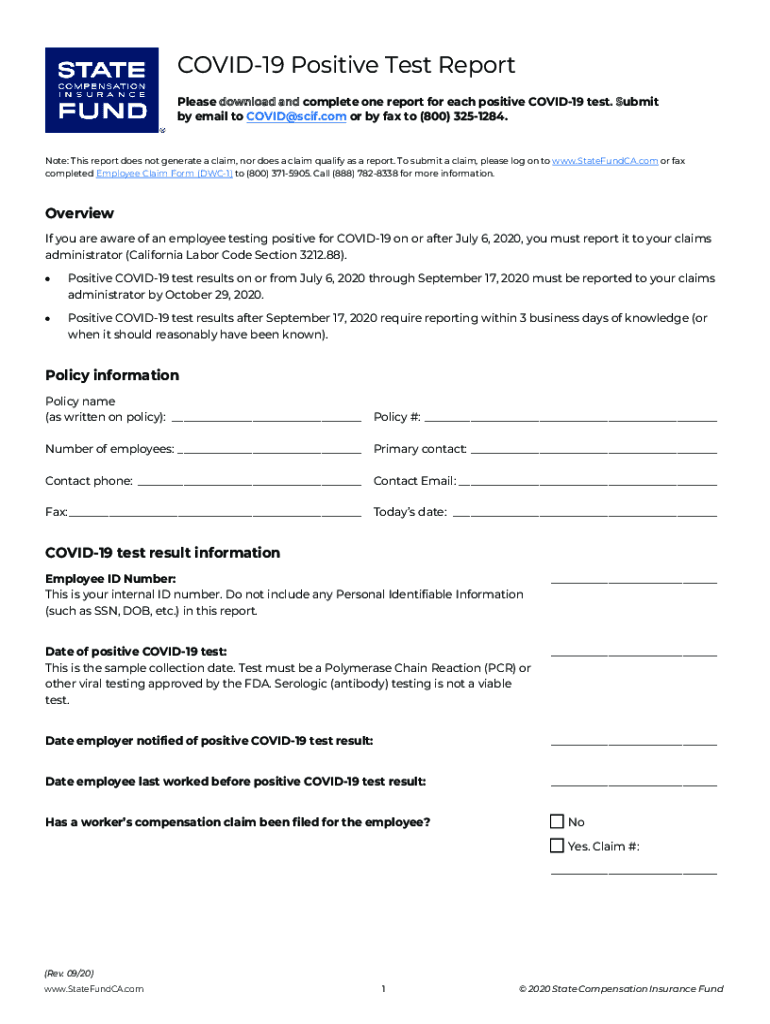
How to use or fill out COVID-19 Positive Test Report with our platform

- Click ‘Get Form’ to open the COVID-19 Positive Test Report in the editor.
- Begin by filling in the 'Policy Information' section. Enter the policy name, policy number, number of employees, primary contact details, and today's date.
- In the 'COVID-19 Test Result Information' section, input the employee ID number (avoid personal identifiable information), date of the positive test, date employer was notified, and last working day before the positive result.
- Indicate whether a worker’s compensation claim has been filed for the employee by selecting 'Yes' or 'No' and providing the claim number if applicable.
- Complete the 'Employee Location Record' by listing all work locations during the 14 days prior to the positive test. Include street addresses and highest daily employee counts.
- If applicable, note any ordered closures due to COVID-19 risk at each location along with relevant dates and authorities who ordered them.
- Finally, review your entries for accuracy and submit your report via email to COVID@scif.com or fax it to (800) 325-1284.
Start using our platform today for free to streamline your document editing and submission process!
Fill out COVID-19 Positive Test Report online
It's free
It's free
Security and compliance
At DocHub, your data security is our priority. We follow HIPAA, SOC2, GDPR, and other standards, so you can work on your documents with confidence.
Learn more


